Introduction to Offensive AI
Offensive AI pairs large language models with traditional security tooling through the Model Context Protocol (MCP) — agents orchestrate multi-tool workflows, correlate findings, and draft reports for human review.
Foundation Page
What is Offensive AI?
Offensive AI applies LLMs to pentesting, vulnerability research, and security assessments. Unlike rigid rule-based scanners, AI agents can:
| Technique | What it does | Tool/prompt | Detection signal |
|---|---|---|---|
| Context-adapted testing | Adjusts strategy from target architecture and responses | MCP agent with scoped tool allowlist | Scope validation log; out-of-scope blocks |
| Finding correlation | Links nmap, nuclei, Burp, and script output into one narrative | BBOT + LLM enrichment pipeline | Audit log of every tool invocation |
| Tailored payloads | Crafts exploits for specific versions and configurations | Local LLM; review before execution | Payload review gate; no blind execution |
| Reporting | Executive summaries and remediation guidance | PlexTrac / custom copilot draft | Human review sign-off before delivery |
| Autonomous chaining | Plans multi-step attack paths with human-in-the-loop approval | Agent framework + approval gate | Approval audit trail; kill switch armed |
| Engagement memory | Improves follow-up tests via contextual memory and RAG | Retrieval pipeline over prior findings | Retrieval ACL; written authorization on file |
The Model Context Protocol (MCP)
The Model Context Protocol (MCP) is the open standard connecting AI clients to security tools. The full protocol reference, threat model, and hardening guidance live in the MCP Security guide — in short, MCP gives LLMs a structured interface to invoke tools, read results, and trigger workflows without bespoke integrations.
Model Context Protocol (MCP) Flow
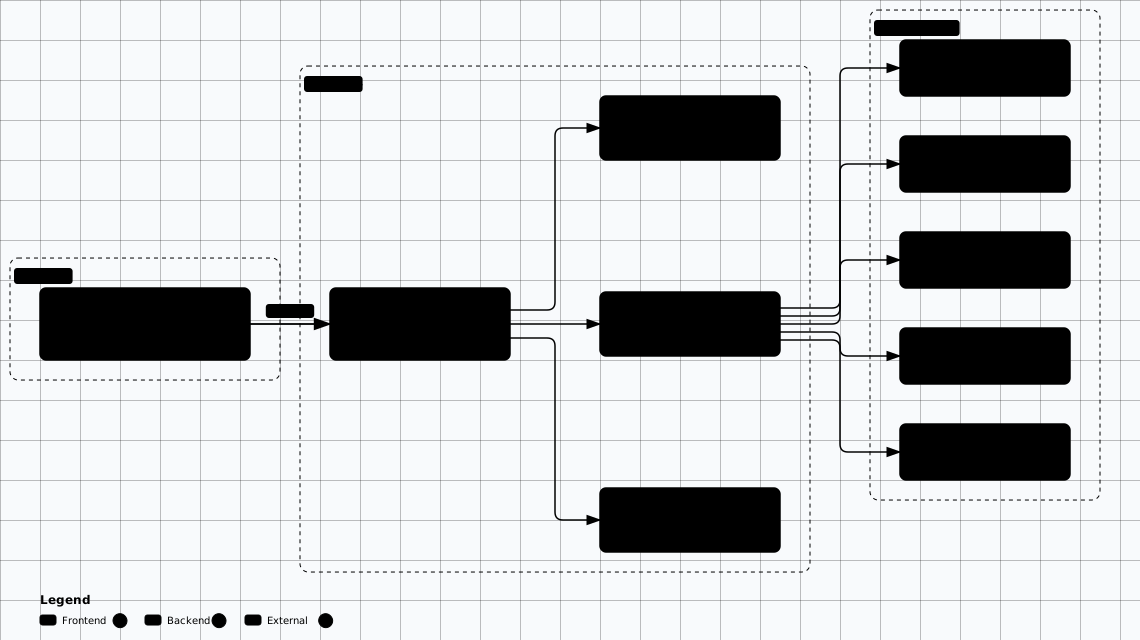
Scroll sideways to see the whole diagram
Key MCP Concepts
Tools
Functions the AI can invoke to perform actions — run nmap scans, execute sqlmap, generate nuclei templates, or call custom scripts.
Resources
Data sources the AI can read — scan results, configuration files, vulnerability databases, and engagement notes.
Prompts
Pre-defined templates for common security workflows — recon checklists, exploit chains, and report generation pipelines.
Sampling
Server-initiated requests for AI decision-making — the server asks the model to classify a finding or choose a next action.
Example MCP configuration for Claude Desktop with a security toolkit and local Ollama bridge:
Save this as claude_desktop_config.json — ~/Library/Application Support/Claude/ (macOS) or %APPDATA%\Claude\ (Windows). Point security-toolkit at a real security MCP server you run locally, e.g. HexStrike AI (see /offensive-ai/02-hexstrike/) or secops-mcp.
{
  "mcpServers": {
    "security-toolkit": {
      "command": "python3",
      "args": ["/opt/mcp-servers/security_server.py"],
      "env": {
        "NMAP_PATH": "/usr/bin/nmap",
        "NUCLEI_PATH": "/usr/bin/nuclei"
      }
    },
    "ollama-bridge": {
      "command": "python3",
      "args": ["/opt/mcp-servers/ollama_bridge.py"],
      "env": {
        "OLLAMA_HOST": "http://localhost:11434",
        "MODEL": "llama3.3:70b"
      }
    }
  }
}
Types of AI Security Tools
The 2026 AI security ecosystem (as of 2026-09) falls into four primary categories, each with distinct strengths and integration patterns.
1. MCP Platforms
Full-stack platforms that expose security tools via MCP servers, letting any compatible AI client orchestrate complex engagements.
- HexStrike AI — 150+ tools, 12+ specialized agents, full MCP server
- MCP Reference Servers — Official modelcontextprotocol/servers collection, extendable with security tools
- secops-mcp — Open-source all-in-one security testing toolbox behind a single MCP interface
2. AI Copilots
IDE and tool extensions that add AI-powered analysis, code generation, and vulnerability detection to existing workflows.
- GitHub Copilot — Code-aware security analysis within VS Code
- ReconAIzer — Burp Suite AI-powered traffic analysis
- Nuclei AI — Automatic vulnerability template generation
- BurpGPT — LLM-driven HTTP request/response analysis
3. Agent Frameworks
Autonomous and semi-autonomous systems that plan, execute, and iterate on multi-step security tasks.
- LangChain Agents — Composable tool-calling agents with memory and planning
- CrewAI — Multi-agent orchestration for complex engagements
- AutoGen — Microsoft's multi-agent conversation framework
- PentestGPT — Interactive penetration testing assistant
4. Security LLMs
Language models fine-tuned or optimized for security tasks — vulnerability analysis, exploit generation, and threat intelligence.
- WhiteRabbitNeo — local security-focused LLM for offensive research
- HackerGPT — Bug bounty and vulnerability research assistant
- DeepSeek-R1 — Reasoning model with strong code/security capabilities
- Llama 3.3 (70B) — Open-weight model suitable for local security tasks
Supported AI Clients
MCP-based security tools integrate with a growing ecosystem of AI clients. Choose based on your workflow — desktop app for interactive sessions, IDE for code-centric testing, or API for pipeline automation.
Claude Desktop
Native MCP support, best-in-class tool calling
VS Code Copilot
MCP agent mode, inline security analysis
Cursor
MCP integration with codebase-aware context
Windsurf
Cascade AI with MCP tool orchestration
Cline
VS Code extension with autonomous MCP agent
Roo Code
Multi-model MCP client with custom modes
AI Limitations
MITRE ATLAS Framework
ATLAS (Adversarial Threat Landscape for AI Systems) is MITRE's threat framework specifically designed for adversarial attacks on machine learning systems. While ATT&CK covers traditional infrastructure, ATLAS maps tactics and techniques for attacking, evading, and exploiting AI/ML models — directly relevant to both offensive AI usage and defending against it.
Offensive Relevance
ATLAS techniques you'll encounter when attacking AI-integrated targets:
- • AML.T0051 — LLM Prompt Injection (direct and indirect)
- • AML.T0054 — LLM Jailbreak (bypassing model guardrails)
- • AML.T0043 — Craft Adversarial Data (evasion samples)
- • AML.T0020 — Training Data Poisoning (training data manipulation)
- • AML.T0024 — Exfiltration via AI Inference API (data leakage through outputs)
Defensive Mapping
Understanding ATLAS also helps you assess AI defenses in target environments:
- • Map ML model deployment surfaces during reconnaissance
- • Identify prompt injection vectors in AI-powered applications
- • Test robustness of AI-based WAFs and anomaly detectors
- • Evaluate data pipeline integrity for poisoning opportunities
- • Assess API rate limits and model access controls
Query the ATLAS matrix programmatically to map adversarial ML techniques:
# MITRE ATLAS Navigator — list adversarial ML techniques
# Prerequisites: pip install requests pyyaml
# Docs: https://atlas.mitre.org/
import requests, yaml

# Fetch the ATLAS data bundle (format v6, ATLAS 2026.07)
ATLAS_URL = "https://raw.githubusercontent.com/mitre-atlas/atlas-data/main/dist/ATLAS-latest.yaml"
data = yaml.safe_load(requests.get(ATLAS_URL).text)

# Techniques live under the top-level "techniques" map (format v6)
techniques = data["techniques"]
for tid, tech in list(techniques.items())[:10]:
    print(f"  {tech.get('id', tid)}: {tech['name']}")

# --- Selected LLM/GenAI techniques (verify current IDs at atlas.mitre.org) ---
# AML.T0051: LLM Prompt Injection
# AML.T0054: LLM Jailbreak
# AML.T0043: Craft Adversarial Data
# AML.T0020: Training Data Poisoning
# AML.T0015: Evade AI Model
# AML.T0024: Exfiltration via AI Inference API
# AML.T0057: LLM Data Leakage
# AML.T0044: Full AI Model Access
ATLAS vs ATT&CK
Getting Started Checklist
Set up a local Ollama instance as your offline security LLM:
# Prerequisites: curl, Docker (optional)
# Install Ollama (macOS/Linux)
curl -fsSL https://ollama.com/install.sh | sh

# Pull a security-focused model
# Tags move fast — verify the current tag in the Ollama library first.
ollama pull llama3.3:70b
ollama pull deepseek-r1:32b

# Verify the model is running
ollama list
# NAME                  ID            SIZE    MODIFIED
# llama3.3:70b          a6b4c8df...   42.5 GB   2 minutes ago
# deepseek-r1:32b       f1e2d3c4...   20 GB     5 minutes ago

# Run an interactive security query
ollama run llama3.3:70b "Explain the OWASP Top 10 2025 changes"

# Start the Ollama API server (default: http://localhost:11434)
ollama serve

# Test API connectivity
curl http://localhost:11434/api/tags | jq '.models[].name'
Runs untrusted remote code
curl … | sh executes whatever the server returns, unreviewed and with your privileges. Fetch the script first (curl -fsSL https://ollama.com/install.sh -o install.sh), read it, then run it — or use a pinned package/container image. The same applies to any code sample here that pulls a live URL at runtime.
Minimal MCP-aware agent using the Python SDK:
# Prerequisites: pip install langchain openai mcp
# Example: minimal MCP-aware agent using LangChain + MCP
import asyncio
from mcp import ClientSession, StdioServerParameters
from mcp.client.stdio import stdio_client

async def run_security_agent():
    """Connect to an MCP security server and invoke a scan tool."""
    server_params = StdioServerParameters(
        command="python3",
        args=["/opt/mcp-servers/security_server.py"]
    )

    async with stdio_client(server_params) as (read, write):
        async with ClientSession(read, write) as session:
            await session.initialize()

            # List available security tools
            tools = await session.list_tools()
            for tool in tools.tools:
                print(f"  Tool: {tool.name} — {tool.description}")

            # Call a reconnaissance tool
            result = await session.call_tool(
                "nmap_scan",
                arguments={"target": "192.168.1.0/24", "flags": "-sV --top-ports 100"}
            )
            print(result.content[0].text)

asyncio.run(run_security_agent())
Offensive AI Introduction Labs
Hands-on exercises to build your AI-assisted pentesting foundation.
Related Offensive AI Guides
HexStrike AI Platform
Deep dive into the HexStrike AI platform and its MCP-based toolkit.
AI Agent Workflows
Building multi-step autonomous security assessment workflows.
OSINT Techniques
Open-source intelligence collection paired with AI analysis.
Counter-Surveillance
Adversarial ML and evasion techniques against AI-powered surveillance.