AI-Powered Reconnaissance
LLMs correlate multi-source recon output, prioritize targets by exploitability, and surface what manual review misses — this chapter chains enumeration, probing, scanning, and AI reporting into one pipeline.
Chapter Scope
1. AI Reconnaissance Overview
AI Reconnaissance Pipeline
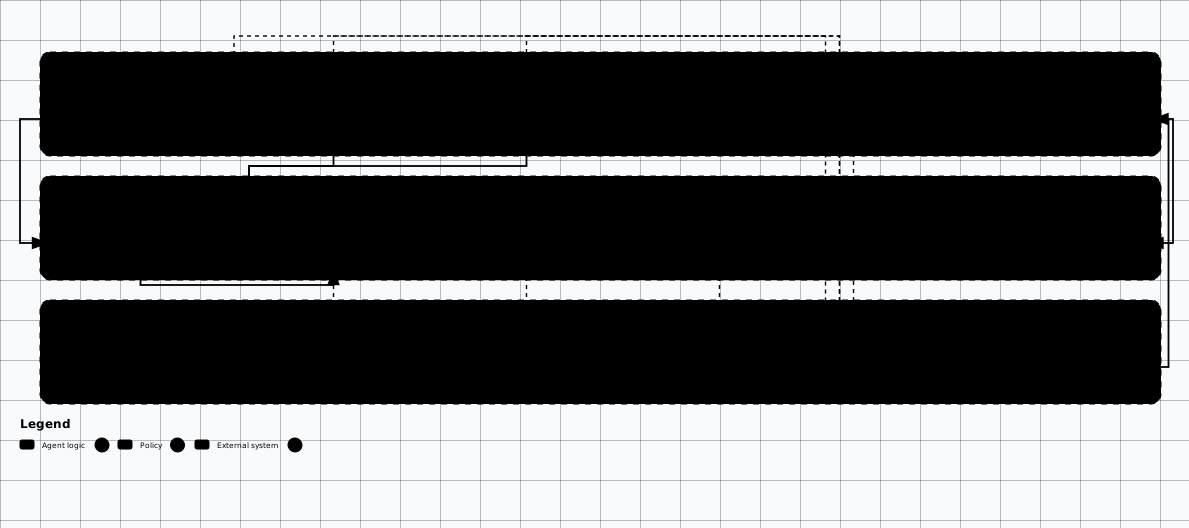

Scroll sideways to see the whole diagram
2. BBOT — AI-Enhanced Recon Framework
BBOT (Bighuge BLS OSINT Tool) is the premier open-source reconnaissance framework built for modern attack surface mapping. Its modular architecture supports 100+ modules (as of September 2026) covering subdomain enumeration, port scanning, web crawling, technology detection, and vulnerability identification — all coordinated through a single event-driven engine.
BBOT Architecture and Module System
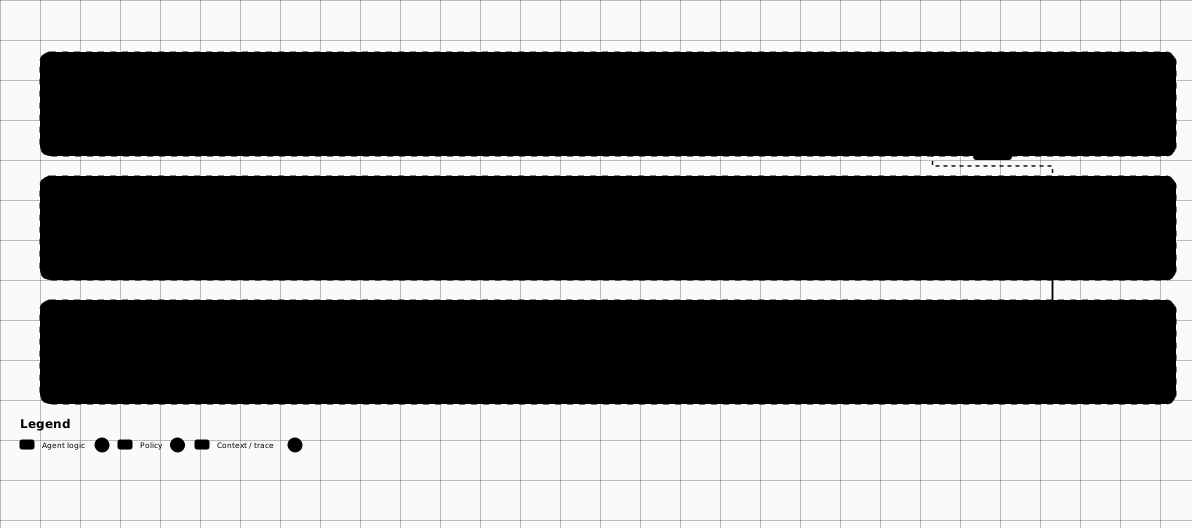

Scroll sideways to see the whole diagram
Installation & setup
# Install BBOT
pipx install bbot

# Verify installation
bbot --version

# List all available modules
bbot -l

# List modules by flag
bbot -l -f subdomain-enum
bbot -l -f active
bbot -l -f passive
API Keys
~/.config/bbot/secrets.yml to unlock passive
enumeration modules that require authentication.
Scanning profiles & module system
BBOT organizes modules into flags (categories like subdomain-enum,
web-thorough, active, passive) that let you compose scans
ranging from light passive enumeration to aggressive active reconnaissance. Each module emits typed
events (DNS_NAME, OPEN_TCP_PORT, URL, TECHNOLOGY,
FINDING, VULNERABILITY) that flow through the pipeline and trigger
downstream modules.
# Basic subdomain enumeration
bbot -t example.com -f subdomain-enum -o /tmp/bbot-results

# Comprehensive scan with passive + active modules
bbot -t example.com \
  -f subdomain-enum \
  -m httpx,naabu,gowitness \
  -c modules.naabu.top_ports=1000 \
  -o /tmp/bbot-full

# Aggressive web scan (active recon, BBOT 3.x)
bbot -t example.com \
  -f subdomain-enum,web-thorough \
  -m httpx,nuclei,gowitness \
  -o /tmp/bbot-aggressive

# BBOT with custom config file
bbot -t example.com -c /path/to/bbot.yml

# Scan multiple targets from a file
bbot -t targets.txt -f subdomain-enum -m httpx
AI-assisted analysis of BBOT results
BBOT outputs structured NDJSON that maps directly to LLM analysis. The following script loads BBOT scan results and sends them to GPT-5 for automated prioritization, attack vector identification, and next-step recommendations.
#!/usr/bin/env python3
"""Post-process BBOT scan results with LLM analysis."""

import json
import subprocess
from pathlib import Path
from openai import OpenAI

client = OpenAI()

def load_bbot_results(scan_dir: str) -> dict:
    """Load BBOT output events from JSON lines file."""
    events = []
    output_file = Path(scan_dir) / "output.ndjson"

    with open(output_file) as f:
        for line in f:
            event = json.loads(line.strip())
            events.append(event)

    # Categorize events
    subdomains = [e for e in events if e.get("type") == "DNS_NAME"]
    open_ports = [e for e in events if e.get("type") == "OPEN_TCP_PORT"]
    urls = [e for e in events if e.get("type") == "URL"]
    techs = [e for e in events if e.get("type") == "TECHNOLOGY"]
    findings = [e for e in events if e.get("type") == "FINDING"]

    return {
        "subdomains": subdomains,
        "open_ports": open_ports,
        "urls": urls,
        "technologies": techs,
        "findings": findings
    }

def analyze_with_llm(results: dict, target: str) -> str:
    """Send BBOT results to LLM for analysis and prioritization."""

    summary = f"""Target: {target}
Subdomains found: {len(results['subdomains'])}
Open ports: {len(results['open_ports'])}
URLs discovered: {len(results['urls'])}
Technologies detected: {len(results['technologies'])}
Findings: {len(results['findings'])}

Key subdomains:
{json.dumps([s['data'] for s in results['subdomains'][:30]], indent=2)}

Open ports:
{json.dumps([p['data'] for p in results['open_ports'][:30]], indent=2)}

Technologies:
{json.dumps([t['data'] for t in results['technologies'][:20]], indent=2)}

Findings:
{json.dumps([f['data'] for f in results['findings'][:15]], indent=2)}"""

    response = client.chat.completions.create(
        model="gpt-5",
        messages=[
            {"role": "system", "content": """You are an expert penetration tester
analyzing reconnaissance results. Identify:
1. High-value targets (admin panels, APIs, staging envs)
2. Potential attack vectors based on tech stack
3. Misconfigurations or exposed services
4. Prioritized next steps for exploitation
Be specific and actionable. Reference actual findings."""},
            {"role": "user", "content": summary}
        ],
        temperature=0.3
    )
    return response.choices[0].message.content

# Usage
results = load_bbot_results("/tmp/bbot-full/scan_name")
analysis = analyze_with_llm(results, "example.com")
print(analysis)Scope and Authorization
nuclei
and naabu send traffic to target hosts — run them only with
explicit written authorization. BBOT respects scope boundaries — configure them carefully.
3. Subfinder + AI Enrichment
Subfinder is ProjectDiscovery's fast passive subdomain enumeration tool. While powerful on its own, pairing Subfinder's output with an AI enrichment layer transforms raw domain lists into prioritized, actionable intelligence.
Subfinder setup & advanced usage
# Install Subfinder
go install -v github.com/projectdiscovery/subfinder/v2/cmd/subfinder@latest

# Basic subdomain enumeration
subfinder -d example.com -o subs.txt

# With all sources and higher concurrency
subfinder -d example.com -all -t 100 -o subs.txt

# Multiple domains from file
subfinder -dL domains.txt -o all-subs.txt

# JSON output with source attribution
subfinder -d example.com -json -o subs.json

# Silent mode, pipe to other tools
subfinder -d example.com -silent | httpx -silent | nuclei -t cves/
AI enrichment pipeline
This pipeline runs Subfinder, probes discovered subdomains with httpx for live host
detection and technology fingerprinting, then sends the enriched results to an LLM for risk-based
classification and exploitation recommendations.
#!/usr/bin/env python3
"""Subfinder + AI enrichment pipeline."""

import subprocess
import json
from openai import OpenAI

client = OpenAI()

def run_subfinder(domain: str) -> list[str]:
    """Run Subfinder and return discovered subdomains."""
    result = subprocess.run(
        ["subfinder", "-d", domain, "-silent", "-all"],
        capture_output=True, text=True, timeout=300
    )
    return [s.strip() for s in result.stdout.strip().split("\n") if s.strip()]

def enrich_with_httpx(subdomains: list[str]) -> list[dict]:
    """Probe subdomains with httpx for live hosts and tech."""
    input_data = "\n".join(subdomains)
    result = subprocess.run(
        ["httpx", "-json", "-silent",
         "-status-code", "-title", "-tech-detect",
         "-follow-redirects", "-timeout", "10"],
        input=input_data,
        capture_output=True, text=True, timeout=600
    )
    hosts = []
    for line in result.stdout.strip().split("\n"):
        if line.strip():
            hosts.append(json.loads(line))
    return hosts

def ai_prioritize(domain: str, hosts: list[dict]) -> str:
    """Use LLM to prioritize discovered hosts."""
    host_summary = json.dumps(hosts[:50], indent=2)

    response = client.chat.completions.create(
        model="gpt-5",
        messages=[
            {"role": "system", "content": """Analyze these subdomain results
for a penetration test. Classify each into:
- CRITICAL: Admin panels, staging, internal tools, APIs
- HIGH: Login pages, file uploads, old software versions
- MEDIUM: Standard web apps with potential attack surface
- LOW: Static content, CDN, marketing pages
Explain your reasoning and suggest exploitation approaches."""},
            {"role": "user", "content": f"Domain: {domain}\n\nHosts:\n{host_summary}"}
        ],
        temperature=0.2
    )
    return response.choices[0].message.content

# Pipeline execution
domain = "example.com"
subs = run_subfinder(domain)
print(f"[*] Found {len(subs)} subdomains")

live_hosts = enrich_with_httpx(subs)
print(f"[*] {len(live_hosts)} live hosts detected")

analysis = ai_prioritize(domain, live_hosts)
print(analysis)Pipeline Optimization
-t 200 for higher thread count and use
httpx with -rl 100 to rate-limit probing. Feed only high-confidence
subdomains to the LLM to reduce token usage and improve analysis quality.
4. Katana — Intelligent Web Crawling
Katana is ProjectDiscovery's next-generation web crawler designed for offensive security. It combines standard crawling with JavaScript rendering, making it effective against single-page applications (SPAs) and modern JS-heavy frameworks that hide endpoints from traditional crawlers.
Key features
- Headless browser crawling — renders JavaScript to discover dynamically generated endpoints
- Automatic form detection — identifies input fields, hidden parameters, and form actions
- Scope-aware crawling — respects domain boundaries and depth limits
- Field extraction — pulls URLs, paths, FQDNs, parameters, and endpoints
- Extension filtering — skip static assets, focus on dynamic content
- Pipeline integration — designed to chain with Subfinder, httpx, Nuclei
# Install Katana (CGO enabled for headless/parser features)
CGO_ENABLED=1 go install github.com/projectdiscovery/katana/cmd/katana@latest

# Basic crawl
katana -u https://example.com -o crawl.txt

# Deep crawl with JavaScript rendering
katana -u https://example.com \
  -js-crawl \
  -headless \
  -depth 5 \
  -pls heuristic \
  -dwt 3 \
  -known-files all \
  -o deep-crawl.txt

# Extract endpoints and parameters
katana -u https://example.com \
  -js-crawl \
  -headless \
  -field url,path,fqdn \
  -o endpoints.txt

# Crawl multiple targets from Subfinder
subfinder -d example.com -silent | \
  httpx -silent | \
  katana -js-crawl -headless -depth 3 -o full-crawl.txt

# Output as JSONL with all fields
katana -u https://example.com \
  -jsonl \
  -js-crawl \
  -headless \
  -field-config /path/to/field-config.yaml \
  -o crawl.json

# Crawl while excluding static assets, then grep output for secret-like strings
katana -u https://example.com \
  -js-crawl \
  -headless \
  -ef png,jpg,gif,svg,css,woff,ttf,woff2,eot \
| grep -iE "(api[_-]?key|secret|token|password|auth)"AI-Enhanced Crawling
5. Caido AI for Reconnaissance
Caido is a modern web security testing proxy with built-in AI capabilities. While its full penetration testing features are covered in the PentestGPT & Caido AI chapter, its reconnaissance features deserve attention here.
Recon-relevant features
- Passive spider — captures all traffic flowing through the proxy for automated endpoint cataloging
- Technology fingerprinting — identifies frameworks, servers, and libraries from response headers and content
- HTTPQL queries — powerful query language for filtering and analyzing captured traffic
- Automate workflows — chainable discovery and fuzzing pipelines
- AI assistant — natural language interface for analyzing captured traffic and suggesting next steps
# Caido AI — Automated Recon Features
# Caido provides an AI-powered web proxy with intelligent recon

# 1. Start Caido and configure target scope
# Navigate to: Settings > Scope > Add target domain

# 2. Use the HTTPQL query language for targeted recon
# Find all API endpoints:
#   req.path.regex:"^/api/" AND resp.code:200

# 3. Technology fingerprinting via response analysis
#   resp.header.regex:"(X-Powered-By|Server):"

# 4. Automated endpoint discovery with the Automate tab
# Create a workflow:
#   - Passive spider: capture all traffic
#   - Active discovery: fuzz common paths
#   - AI analysis: classify endpoints by risk

# 5. Export results for further AI analysis
# Caido's local API is GraphQL at /graphql (there is no REST /api/findings route)
curl -s http://localhost:8080/graphql \
  -H "Authorization: Bearer CAIDO_TOKEN" \
  -H "Content-Type: application/json" \
  -d '{"query":"{ requests { edges { node { id method host path } } } }"}'

# Prefer the official Caido SDK or caido-cli when scripting — both speak the same GraphQL API
Complementary Approach
6. AI-Powered OSINT
Open source intelligence gathering generates vast amounts of unstructured data — DNS records, WHOIS registrations, social media profiles, code repositories, paste sites, and certificate logs. LLMs excel at correlating this data, extracting actionable intelligence, and identifying patterns that would take hours of manual analysis.
AI OSINT Pipeline Architecture
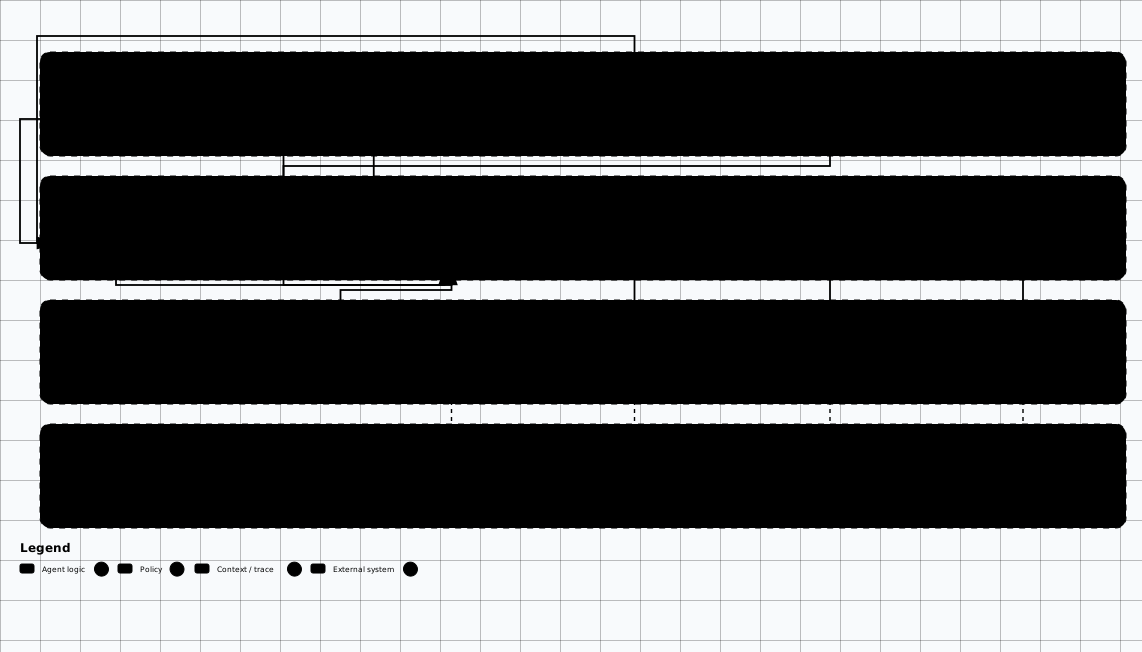

Scroll sideways to see the whole diagram
| Technique | What it does | Tool/prompt | Detection signal |
|---|---|---|---|
| Social profiling | Employee names, roles, stacks, and reporting chains into pretext dossiers | LinkedIn enumeration; LLM synthesis into dossiers | Keep collection inside the rules of engagement |
| DNS / WHOIS analysis | Hosting, email posture (SPF/DKIM/DMARC), and related domains from records | dig + whois stages of the OSINT pipeline |
Passive queries first; rate-limit active follow-ups |
| GitHub recon | Secrets, configs, internal names, and stacks from code and history | gh search code queries; TruffleHog verified scan |
Secret-scanning alerts; push protection on the target side |
| Automated OSINT pipeline | DNS, WHOIS, code search, and CT logs chained into one LLM report | ai_osint_pipeline.py below |
Snapshot and diff collections; review T0/T1 assets by hand |
#!/usr/bin/env python3
"""AI-Powered OSINT Pipeline for Reconnaissance."""

import json
import subprocess
import re
from pathlib import Path
from dataclasses import dataclass, asdict
from openai import OpenAI

client = OpenAI()

@dataclass
class OSINTResult:
    source: str
    data_type: str
    content: str
    confidence: float = 0.0
    risk_score: float = 0.0

class AIOSINTPipeline:
    def __init__(self, target_domain: str):
        self.target = target_domain
        self.results: list[OSINTResult] = []

    def dns_recon(self) -> list[OSINTResult]:
        """Enumerate DNS records and analyze with AI."""
        records = []
        for rtype in ["A", "AAAA", "MX", "NS", "TXT", "CNAME", "SOA"]:
            result = subprocess.run(
                ["dig", "+short", self.target, rtype],
                capture_output=True, text=True, timeout=30
            )
            if result.stdout.strip():
                records.append(OSINTResult(
                    source="DNS",
                    data_type=rtype,
                    content=result.stdout.strip()
                ))
        self.results.extend(records)
        return records

    def whois_analysis(self) -> OSINTResult:
        """WHOIS lookup with AI interpretation."""
        result = subprocess.run(
            ["whois", self.target],
            capture_output=True, text=True, timeout=30
        )
        whois_data = OSINTResult(
            source="WHOIS",
            data_type="registration",
            content=result.stdout[:3000]  # Truncate for LLM context
        )
        self.results.append(whois_data)
        return whois_data

    def github_recon(self) -> list[OSINTResult]:
        """Search GitHub for exposed secrets and architecture clues."""
        search_terms = [
            f'"{self.target}" password',
            f'"{self.target}" api_key OR secret_key',
            f'"{self.target}" internal OR staging',
            f'org:{self.target.split(".")[0]} filename:.env',
        ]
        findings = []
        for term in search_terms:
            result = subprocess.run(
                ["gh", "search", "code", term, "--json",
                 "repository,path,textMatches", "-L", "10"],
                capture_output=True, text=True, timeout=30
            )
            if result.stdout.strip():
                findings.append(OSINTResult(
                    source="GitHub",
                    data_type="code_search",
                    content=result.stdout[:2000]
                ))
        self.results.extend(findings)
        return findings

    def certificate_transparency(self) -> list[OSINTResult]:
        """Query Certificate Transparency logs."""
        result = subprocess.run(
            ["curl", "-s",
             f"https://crt.sh/?q=%.{self.target}&output=json"],
            capture_output=True, text=True, timeout=30
        )
        if result.stdout.strip():
            try:
                certs = json.loads(result.stdout)
                unique_names = list(set(
                    c.get("name_value", "") for c in certs
                ))
                ct_result = OSINTResult(
                    source="CertTransparency",
                    data_type="certificates",
                    content=json.dumps(unique_names[:100])
                )
                self.results.append(ct_result)
                return [ct_result]
            except json.JSONDecodeError:
                pass
        return []

    def ai_analyze_all(self) -> str:
        """Send all collected OSINT to LLM for analysis."""
        results_summary = json.dumps(
            [asdict(r) for r in self.results], indent=2
        )

        response = client.chat.completions.create(
            model="gpt-5",
            messages=[
                {"role": "system", "content": """You are an expert OSINT
analyst performing reconnaissance for an authorized penetration test.
Analyze all collected data and produce:

1. ORGANIZATION PROFILE: Key facts about the target
2. ATTACK SURFACE: Identified entry points and services
3. EXPOSED SECRETS: Any credentials, keys, or sensitive data found
4. SOCIAL ENGINEERING VECTORS: Information useful for phishing/SE
5. RISK ASSESSMENT: Overall exposure rating with justification
6. RECOMMENDED NEXT STEPS: Prioritized actions for the engagement

Be thorough and reference specific findings."""},
                {"role": "user", "content": f"""Target: {self.target}

OSINT Collection Results:
{results_summary}"""}
            ],
            temperature=0.2
        )
        return response.choices[0].message.content

# Execute pipeline
pipeline = AIOSINTPipeline("example.com")
pipeline.dns_recon()
pipeline.whois_analysis()
pipeline.github_recon()
pipeline.certificate_transparency()
report = pipeline.ai_analyze_all()
print(report)7. Building an AI Recon Pipeline
The complete automated reconnaissance pipeline chains five stages: subdomain enumeration (Subfinder + Amass + CT logs), live host probing (httpx), port scanning (Naabu), vulnerability scanning (Nuclei), and LLM-powered analysis (GPT-5). Each stage feeds structured data to the next, and the final output is both a machine-readable JSON report and a human-readable AI analysis.
Operational Security
#!/usr/bin/env python3
"""Complete AI Recon Pipeline — chains multiple tools with LLM analysis."""

import json
import subprocess
import asyncio
from datetime import datetime
from pathlib import Path
from dataclasses import dataclass, field, asdict
from openai import OpenAI

client = OpenAI()

@dataclass
class ReconReport:
    target: str
    timestamp: str = field(
        default_factory=lambda: datetime.now().isoformat()
    )
    subdomains: list[str] = field(default_factory=list)
    live_hosts: list[dict] = field(default_factory=list)
    open_ports: list[dict] = field(default_factory=list)
    technologies: list[dict] = field(default_factory=list)
    vulnerabilities: list[dict] = field(default_factory=list)
    ai_analysis: str = ""

def run_cmd(cmd: list[str], timeout: int = 300) -> str:
    """Run a command and return stdout."""
    result = subprocess.run(
        cmd, capture_output=True, text=True, timeout=timeout
    )
    return result.stdout.strip()

def stage_1_subdomain_enum(target: str) -> list[str]:
    """Stage 1: Subdomain enumeration with multiple tools."""
    print(f"[1/5] Subdomain enumeration for {target}")

    # Subfinder
    sf_output = run_cmd(["subfinder", "-d", target, "-silent", "-all"])
    subs = set(sf_output.split("\n")) if sf_output else set()

    # Amass (passive)
    amass_output = run_cmd(
        ["amass", "enum", "-passive", "-d", target],
        timeout=600
    )
    if amass_output:
        subs.update(amass_output.split("\n"))

    # Certificate Transparency
    ct_output = run_cmd([
        "curl", "-s",
        f"https://crt.sh/?q=%.{target}&output=json"
    ])
    if ct_output:
        try:
            certs = json.loads(ct_output)
            for cert in certs:
                name = cert.get("name_value", "")
                for sub in name.split("\n"):
                    if sub.strip().endswith(target):
                        subs.add(sub.strip())
        except json.JSONDecodeError:
            pass

    return sorted(list(subs))

def stage_2_probe_hosts(subdomains: list[str]) -> list[dict]:
    """Stage 2: Probe for live hosts with httpx."""
    print(f"[2/5] Probing {len(subdomains)} subdomains")

    input_data = "\n".join(subdomains)
    result = subprocess.run(
        ["httpx", "-json", "-silent",
         "-status-code", "-title", "-tech-detect",
         "-content-length", "-follow-redirects"],
        input=input_data,
        capture_output=True, text=True, timeout=600
    )

    hosts = []
    for line in result.stdout.strip().split("\n"):
        if line.strip():
            try:
                hosts.append(json.loads(line))
            except json.JSONDecodeError:
                continue
    return hosts

def stage_3_port_scan(subdomains: list[str]) -> list[dict]:
    """Stage 3: Port scanning with Naabu."""
    print(f"[3/5] Port scanning top targets")

    # Scan top 1000 ports on live hosts
    input_data = "\n".join(subdomains[:50])  # Limit scope
    result = subprocess.run(
        ["naabu", "-json", "-silent", "-top-ports", "1000"],
        input=input_data,
        capture_output=True, text=True, timeout=600
    )

    ports = []
    for line in result.stdout.strip().split("\n"):
        if line.strip():
            try:
                ports.append(json.loads(line))
            except json.JSONDecodeError:
                continue
    return ports

def stage_4_vuln_scan(live_hosts: list[dict]) -> list[dict]:
    """Stage 4: Vulnerability scanning with Nuclei."""
    print(f"[4/5] Vulnerability scanning {len(live_hosts)} hosts")

    urls = [h.get("url", "") for h in live_hosts if h.get("url")]
    input_data = "\n".join(urls)

    result = subprocess.run(
        ["nuclei", "-json", "-silent",
         "-severity", "medium,high,critical",
         "-rate-limit", "50"],
        input=input_data,
        capture_output=True, text=True, timeout=900
    )

    vulns = []
    for line in result.stdout.strip().split("\n"):
        if line.strip():
            try:
                vulns.append(json.loads(line))
            except json.JSONDecodeError:
                continue
    return vulns

def stage_5_ai_analysis(report: ReconReport) -> str:
    """Stage 5: Comprehensive AI analysis of all findings."""
    print("[5/5] AI analysis of results")

    context = f"""Target: {report.target}
Scan timestamp: {report.timestamp}

SUBDOMAINS ({len(report.subdomains)} total):
{json.dumps(report.subdomains[:40], indent=2)}

LIVE HOSTS ({len(report.live_hosts)} total):
{json.dumps(report.live_hosts[:30], indent=2)}

OPEN PORTS ({len(report.open_ports)} total):
{json.dumps(report.open_ports[:30], indent=2)}

TECHNOLOGIES:
{json.dumps(report.technologies[:20], indent=2)}

VULNERABILITIES ({len(report.vulnerabilities)} total):
{json.dumps(report.vulnerabilities[:20], indent=2)}"""

    response = client.chat.completions.create(
        model="gpt-5",
        messages=[
            {"role": "system", "content": """You are a senior penetration
tester analyzing automated reconnaissance results. Produce a structured
report with:

## Executive Summary
Brief overview of the target attack surface.

## Critical Findings
High-risk items requiring immediate attention.

## Attack Vectors
Specific, actionable exploitation paths based on findings.

## Technology Stack Analysis
Identified technologies and their known vulnerabilities.

## Recommended Exploitation Order
Prioritized list of targets to exploit, with reasoning.

## OPSEC Considerations
Detection risks and how to avoid them.

Be precise. Reference specific subdomains, ports, and vulnerabilities."""},
            {"role": "user", "content": context}
        ],
        temperature=0.2,
        max_tokens=4000
    )
    return response.choices[0].message.content

def run_pipeline(target: str) -> ReconReport:
    """Execute the full recon pipeline."""
    report = ReconReport(target=target)

    # Stage 1: Subdomain enumeration
    report.subdomains = stage_1_subdomain_enum(target)
    print(f"    Found {len(report.subdomains)} subdomains")

    # Stage 2: Live host detection
    report.live_hosts = stage_2_probe_hosts(report.subdomains)
    print(f"    {len(report.live_hosts)} live hosts")

    # Stage 3: Port scanning
    report.open_ports = stage_3_port_scan(report.subdomains)
    print(f"    {len(report.open_ports)} open ports")

    # Stage 4: Vulnerability scanning
    report.vulnerabilities = stage_4_vuln_scan(report.live_hosts)
    print(f"    {len(report.vulnerabilities)} vulnerabilities")

    # Stage 5: AI analysis
    report.ai_analysis = stage_5_ai_analysis(report)

    # Save structured report
    output_path = Path(f"recon_{target}_{report.timestamp[:10]}.json")
    with open(output_path, "w") as f:
        json.dump(asdict(report), f, indent=2)
    print(f"\n[*] Report saved to {output_path}")

    return report

# Execute
report = run_pipeline("example.com")
print("\n" + report.ai_analysis)MCP Integration
8. Attack Surface Management with AI
Point-in-time reconnaissance gives a snapshot; attack surface management (ASM) provides continuous monitoring. AI enhances ASM by automatically detecting changes, classifying their risk level, and alerting operators to newly exposed assets that expand the attack surface.
Continuous monitoring pipeline
The following script implements a basic ASM monitor that compares current state against previous scans, detects changes (new subdomains, removed hosts, changed technologies), and uses an LLM to assess the security impact of each change.
#!/usr/bin/env python3
"""AI-Powered Attack Surface Management — Continuous Monitoring."""

import json
import hashlib
import subprocess
from datetime import datetime
from pathlib import Path
from openai import OpenAI

client = OpenAI()

class AttackSurfaceMonitor:
    def __init__(self, target: str, state_dir: str = "./asm_state"):
        self.target = target
        self.state_dir = Path(state_dir)
        self.state_dir.mkdir(exist_ok=True)
        self.state_file = self.state_dir / f"{target}.json"

    def load_previous_state(self) -> dict:
        """Load the previous scan state for comparison."""
        if self.state_file.exists():
            return json.loads(self.state_file.read_text())
        return {"subdomains": [], "hosts": [], "ports": [], "timestamp": ""}

    def save_state(self, state: dict):
        """Save current scan state."""
        state["timestamp"] = datetime.now().isoformat()
        self.state_file.write_text(json.dumps(state, indent=2))

    def discover_assets(self) -> dict:
        """Run discovery tools and return current state."""
        # Subdomain enumeration
        sf = subprocess.run(
            ["subfinder", "-d", self.target, "-silent", "-all"],
            capture_output=True, text=True, timeout=300
        )
        subdomains = sorted(set(
            s.strip() for s in sf.stdout.split("\n") if s.strip()
        ))

        # Live host probing
        input_data = "\n".join(subdomains)
        httpx_out = subprocess.run(
            ["httpx", "-json", "-silent", "-status-code", "-title",
             "-tech-detect", "-content-length"],
            input=input_data,
            capture_output=True, text=True, timeout=600
        )
        hosts = []
        for line in httpx_out.stdout.strip().split("\n"):
            if line.strip():
                try:
                    hosts.append(json.loads(line))
                except json.JSONDecodeError:
                    continue

        return {
            "subdomains": subdomains,
            "hosts": hosts,
            "ports": [],  # Add naabu scan if needed
        }

    def detect_changes(self, previous: dict, current: dict) -> dict:
        """Compare states and identify changes."""
        prev_subs = set(previous.get("subdomains", []))
        curr_subs = set(current.get("subdomains", []))

        prev_urls = set(
            h.get("url", "") for h in previous.get("hosts", [])
        )
        curr_urls = set(
            h.get("url", "") for h in current.get("hosts", [])
        )

        return {
            "new_subdomains": sorted(curr_subs - prev_subs),
            "removed_subdomains": sorted(prev_subs - curr_subs),
            "new_hosts": sorted(curr_urls - prev_urls),
            "removed_hosts": sorted(prev_urls - curr_urls),
        }

    def ai_risk_assessment(self, changes: dict, current: dict) -> str:
        """Use AI to assess risk of detected changes."""
        if not any(changes.values()):
            return "No changes detected since last scan."

        response = client.chat.completions.create(
            model="gpt-5",
            messages=[
                {"role": "system", "content": """You are an attack surface
management analyst. Assess the security impact of infrastructure changes.
Rate each change: CRITICAL / HIGH / MEDIUM / LOW / INFO.
Recommend immediate actions for high-risk changes."""},
                {"role": "user", "content": f"""Target: {self.target}

Changes detected:
{json.dumps(changes, indent=2)}

Current state summary:
- Total subdomains: {len(current['subdomains'])}
- Live hosts: {len(current['hosts'])}"""}
            ],
            temperature=0.2
        )
        return response.choices[0].message.content

    def run(self):
        """Execute monitoring cycle."""
        print(f"[*] ASM scan for {self.target}")
        previous = self.load_previous_state()
        current = self.discover_assets()
        changes = self.detect_changes(previous, current)

        # AI risk assessment
        risk_report = self.ai_risk_assessment(changes, current)

        # Save new state
        self.save_state(current)

        print(f"[+] Subdomains: {len(current['subdomains'])}")
        print(f"[+] Live hosts: {len(current['hosts'])}")
        print(f"[+] New subdomains: {len(changes['new_subdomains'])}")
        print(f"[+] Removed subdomains: {len(changes['removed_subdomains'])}")
        print(f"\n{risk_report}")

# Usage — run on a cron schedule
monitor = AttackSurfaceMonitor("example.com")
monitor.run()Commercial ASM platforms
Several commercial platforms provide enterprise-grade ASM with AI capabilities:
- XM Cyber — attack path management with AI-driven risk scoring and continuous reconnaissance
- Pentera — automated security validation that continuously discovers and tests the attack surface
- CrowdStrike Falcon Exposure Management — external attack surface management with adversary intelligence
- Palo Alto Cortex Xpanse — internet-scale asset discovery and risk assessment
DIY vs. Commercial
9. Code & Secret Recon, OSINT Pipelines, SBOM Recon, LLM Asset Tiering
Subdomain enumeration is the easy part. The leverage in 2025–2026 reconnaissance is in plumbing the outputs of fast classical scanners into LLMs that triage, correlate, and tier findings — and in pulling adjacent surfaces (source repos, OSINT, dependency graphs) into the same picture.
Code & secret recon
- TruffleHog v3 — 800+ verified detector types (as of September 2026); scans GitHub / GitLab / Bitbucket / Docker / S3 / Postman; verifies secrets against the upstream API before reporting.
- gitleaks — fast Go scanner; great for pre-commit hooks and CI; configurable rules.
- Nosey Parker (Praetorian) — string + entropy + ML; built for very large historical clones.
- GitGuardian / GitHub secret scanning — commercial / platform-native, with push protection.
- LLM triage layer — feed hits into a model with the surrounding code; the model dedups, classifies (live key vs test fixture vs example in docs), assigns severity, and drafts the responsible-disclosure email. Prompt the LLM to never echo the raw secret in its output — return only fingerprints.
# 1. Fast scan with verification
trufflehog git --json --no-update --results=verified \
  https://github.com/<org>/<repo> > raw.json

# 2. Triage with a local model so secrets never leave the box.
#    The Modelfile system prompt forbids echoing the raw secret value.
ollama run secret-triage:latest < raw.json > triaged.md

# 3. Diff against last run; alert only on NEW verified findings.
jq -s '.[1] - .[0]' previous.json raw.json > new_findings.json
OSINT pipelines (LinkedIn / X / GitHub / leak data)
Modern OSINT for a target organisation is a small ETL pipeline: collect, deduplicate, enrich with an LLM, store, diff over time. Useful inputs: LinkedIn (employee names + roles + tech stacks), X / Mastodon / Bluesky, GitHub (employee accounts + their public repos), credential-leak datasets (HaveIBeenPwned, DeHashed, Snusbase, Leak-Lookup), and breach-aggregator forums.
- SpiderFoot HX / SpiderFoot OSS, Maltego, Recon-ng, theHarvester — classical multi-source collectors.
- LinkedIn: use the official API where possible; for unauthenticated work,
linkedin2usernameandCrossLinkedgenerate username permutations from public name lists. Respect the platform ToS and your engagement scope. - HaveIBeenPwned API + DeHashed for breach exposure (paid where required).
- LLM enrichment: turn raw scraped JSON into a structured persona record (role, tech stack, likely access, social engineering hooks) and feed it back into pretexting templates. Always pin the model output schema (JSON-mode / structured outputs) to avoid drift.
- Temporal diffing: store every collection snapshot; alert on new employees, new tech stacks (job ad mentions of \"Snowflake\"), or removed staff (potential supply-chain transition windows).
SBOM & dependency-graph recon
The Software Bill of Materials wave (CISA, EU CRA, Executive Order 14028) has produced a recon goldmine.
Vendors publish CycloneDX / SPDX SBOMs alongside releases; npm, PyPI, Cargo, Go modules,
Maven Central all expose dependency graphs through their APIs. Recon flow:
- Pull the target's published SBOMs (vendor portal, GitHub releases, container image layers via
syft). - Cross-reference with OSV.dev, NVD, GHSA, VulnCheck; rank by EPSS + KEV.
- Pull container images with
syft+grype; scan for CVEs, leaked secrets, and outdated TLS libs. - LLM summarises the result into a per-vendor risk briefing with prioritised entry points.
- Map upstream maintainers (Tidelift / Snyk Open Source / Sonatype data) — supply-chain attack surface for the target's dependencies.
LLM-driven attack-surface tiering
Modern recon produces thousands of assets; humans cannot triage them by hand. An LLM scoring layer applied after classical enrichment (Shodan, Censys, FOFA, Wappalyzer, Nuclei tech-detect) is the practical answer. Score each asset on technology stack risk, exposure (auth required?), age of stack, presence in CISA KEV, and business criticality keywords from the hostname / certificate SAN / page title.
SYSTEM:
You are a triage analyst. For each asset, return JSON:
{ "asset": "...", "tier": "T0|T1|T2|T3", "rationale": "...",
  "next_steps": ["..."], "confidence": 0.0-1.0 }

Tier definitions:
 T0 = customer-facing prod, auth bypass-risk stack, in-scope.
 T1 = internal but reachable, sensitive data, in-scope.
 T2 = staging / dev, lower data sensitivity.
 T3 = decommissioned / parked / out-of-scope / honeypot-like.

Inputs you will receive per asset:
 hostname, ip, open_ports, tls_san, http_title, tech_stack[],
 nuclei_findings[], shodan_tags[], scope_flag, business_keywords[]

Rules:
 * Mark anything outside scope as T3 with rationale "out_of_scope".
 * If tech_stack contains a CISA KEV-listed product, raise tier by 1.
 * Always cite the field that drove your decision.
 * Confidence < 0.6 -> ask for human review in next_steps.
Keep humans in the loop
Related Offensive AI Guides
HexStrike AI
Autonomous AI red-team agent framework for offensive security.
Reconnaissance Methodology
Traditional and modern reconnaissance methodology for penetration testing.
OSINT & Intelligence Gathering
Open source intelligence gathering techniques and tools.
PentestGPT & Caido AI
AI-assisted penetration testing with PentestGPT and Caido.
AI Social Engineering
Turn recon findings into personalised social-engineering pretexts.