AI Code Review & Fuzzing
LLMs can analyse source code for vulnerabilities faster than manual review, while AI-guided fuzzers generate smarter inputs to find bugs that traditional fuzzers miss. Google's Big Sleep project proved this by discovering real-world zero-days in production software using AI alone.
The State of AI Vulnerability Discovery (2026)
What you'll be able to do
- Audit code chunks with a security-focused prompt that maps findings to CWE and severity
- Run a deterministic SAST baseline first, then triage with an LLM
- Review sensitive code with local models so nothing leaves the machine
- Generate fuzz harnesses from source and feed crashes back for triage
- Verify every AI finding with a working proof-of-concept before reporting
Why AI Code Review?
AI Strengths
- Pattern recognition: Trained on millions of known-vulnerable code patterns
- Tirelessness: Can audit 100K+ lines without fatigue or attention drift
- Cross-language: Same model reviews C, Python, Go, JS, Solidity, etc.
- Context window: Modern models handle 1M+ tokens — entire codebases at once
- Explanation: Generates human-readable descriptions of why code is vulnerable
AI Limitations
- Hallucinations: May report vulnerabilities that don't exist (false positives)
- Business logic: Struggles with app-specific logic flaws that require domain knowledge
- Subtle bugs: Race conditions and complex state machines still challenge LLMs
- Scope limits: Even large context windows can't hold entire enterprise codebases
- Requires verification: Every AI finding must be manually confirmed
1. LLM-Assisted Code Auditing
The most practical approach is to feed code chunks to an LLM with a security-focused system prompt, then triage the results manually. This works for both white-box pentests and bug bounty.
Security Audit Prompt Framework
# AI-assisted code review framework
# Works with: current OpenAI / Claude models, open-weight coders
# (Qwen3-Coder, DeepSeek V4), and local models via Ollama

import openai
from pathlib import Path

SECURITY_AUDIT_PROMPT = """You are an expert security code reviewer. Analyse the following code for:

1. **Injection vulnerabilities**: SQL injection, command injection, LDAP injection, XSS
2. **Authentication/Authorisation flaws**: Broken auth, IDOR, privilege escalation
3. **Cryptographic issues**: Weak algorithms, hardcoded keys, improper random
4. **Memory safety**: Buffer overflows, use-after-free (for C/C++/Rust unsafe)
5. **Deserialization**: Unsafe deserialization of user input
6. **SSRF / Path traversal**: Server-side request forgery, directory traversal
7. **Race conditions**: TOCTOU, missing locks on shared state
8. **Secrets exposure**: API keys, tokens, passwords in source
9. **Dependency risks**: Known-vulnerable library patterns

For each finding:
- Severity: CRITICAL / HIGH / MEDIUM / LOW / INFO
- Vulnerable code: Quote the exact line(s)
- Impact: What an attacker can achieve
- CWE: Map to CWE ID
- Remediation: Specific fix with code example

If no vulnerabilities are found, state that explicitly. Do not invent findings."""

def audit_file(filepath: str, model: str = "gpt-5") -> str:
    """Audit a single source file for security vulnerabilities."""
    code = Path(filepath).read_text()

    response = openai.chat.completions.create(
        model=model,
        messages=[
            {"role": "system", "content": SECURITY_AUDIT_PROMPT},
            {"role": "user", "content": f"File: {filepath}\n\n```\n{code}\n```"}
        ],
        temperature=0.1  # Low temp → more precise, fewer hallucinations
    )
    return response.choices[0].message.content

def audit_directory(directory: str, extensions: list = None):
    """Audit all matching files in a directory tree."""
    if extensions is None:
        extensions = ['.py', '.js', '.ts', '.go', '.c', '.cpp', '.java', '.rs', '.php', '.rb']

    findings = []
    for path in Path(directory).rglob('*'):
        if path.suffix in extensions and path.is_file():
            print(f"Auditing: {path}")
            result = audit_file(str(path))
            if "no vulnerabilities" not in result.lower():
                findings.append({"file": str(path), "findings": result})

    return findings

# Example: audit a Python web app
results = audit_directory("./target-app/src/", ['.py'])
for r in results:
    print(f"\n{'='*60}")
    print(f"FILE: {r['file']}")
print(r['findings'])Using Local Models (No Data Leakage)
# For sensitive client code, use local models — zero data leaves your machine

# Install Ollama
curl -fsSL https://ollama.com/install.sh | sh

# DeepSeek V4 has no local pull — run the cloud tier (needs network + Ollama sign-in).
# (verified 2026-09-26; tags move fast — verify).
ollama run deepseek-v4.1-flash:cloud  # Lighter V4 tier
ollama pull qwen3-coder:30b           # Current open-weight code model

# Run audit against local model (OpenAI-compatible API)
export OPENAI_BASE_URL=http://localhost:11434/v1
export OPENAI_API_KEY=ollama  # Ollama doesn't need a real key

# Or use Ollama's native API:
curl http://localhost:11434/api/generate -d '{
  "model": "deepseek-v4.1-flash:cloud",
  "prompt": "Review this code for security vulnerabilities:\n\n<paste code>",
  "stream": false
}'
Agentic Code Review
2. Agentic Code Review Tools
Agentic coding tools go beyond single-shot prompting — they autonomously navigate codebases, follow data flows across files, and iteratively refine their analysis. These are the most effective tools for AI-assisted security review in 2026.
Cursor
AI code editor with multi-file analysis and context-aware security review. Indexes your entire project for deep cross-reference analysis.
Key: Multi-file context + Composer agent modeWindsurf (Codeium)
AI-powered IDE with Cascade for autonomous multi-step code analysis. Understands project structure and dependency chains.
Key: Cascade autonomous agent + flow awarenessClaude Code
Anthropic's CLI agent for terminal-based code review. Reads files, runs commands, and iterates on analysis directly from your shell.
Key: Terminal-native + tool use + extended thinkingOpenAI Codex CLI
OpenAI's open-source terminal coding agent. Runs locally with sandboxed execution for safe code analysis and generation.
Key: Open-source + sandboxed executionAider
Open-source AI pair programming tool that works with any LLM. Git-aware with automatic commit generation and repo-map for codebase understanding.
Key: Any LLM backend + git integration + repo-mapGitHub Copilot Agent Mode
VS Code integrated agent that iterates on code review tasks. Uses workspace context, terminal access, and multi-step reasoning.
Key: VS Code native + workspace-aware + MCP toolsCLI-Based Security Review
# Using Claude Code for security review
claude "Review /path/to/target-app for security vulnerabilities. Focus on
injection flaws, authentication bypasses, and IDOR. For each finding,
provide the file, line number, CWE, severity, and a remediation."

# Using Aider with any model for targeted review
pip install aider-chat
cd /path/to/target-app

# With Claude
aider --sonnet --message "Audit auth.py and api/routes.py for security
vulnerabilities. List each finding with severity, CWE ID, and a fix."

# With DeepSeek V4 cloud tier (prompts leave the host — prefer a local model for sensitive code)
aider --model ollama/deepseek-v4.1-flash:cloud --message "Review all files in src/
for SQL injection, command injection, and path traversal vulnerabilities."

# Using OpenAI Codex CLI
codex "Audit this repository for security vulnerabilities. Focus on the
authentication middleware, API input validation, and session handling."
3. Semgrep + AI Hybrid Analysis
The most effective approach combines traditional SAST (Static Application Security Testing) with LLM-powered triage. Semgrep finds potential issues with deterministic rules; the LLM filters out false positives and explains impact.
# Step 1: Run Semgrep to get candidate findings
pip install semgrep

# Scan with security-focused rules
semgrep scan --config=p/security-audit \
             --config=p/owasp-top-ten \
             --config=p/cwe-top-25 \
             --json --output findings.json \
             ./target-app/

# Step 2: Feed findings to LLM for triage
import json
import openai

with open("findings.json") as f:
    semgrep_results = json.load(f)

TRIAGE_PROMPT = """You are a security expert triaging Semgrep findings.
For each finding, determine:
1. Is this a TRUE positive or FALSE positive? Explain why.
2. If true positive: severity, exploitability, and recommended fix.
3. If false positive: why the code is actually safe.

Be conservative — when in doubt, flag it for manual review."""

for finding in semgrep_results.get("results", []):
    context = f"""
Rule: {finding['check_id']}
Severity: {finding['extra']['severity']}
Message: {finding['extra']['message']}
File: {finding['path']}:{finding['start']['line']}
Code: {finding['extra']['lines']}
"""
    response = openai.chat.completions.create(
        model="gpt-5",
        messages=[
            {"role": "system", "content": TRIAGE_PROMPT},
            {"role": "user", "content": context}
        ],
        temperature=0.1
    )
    print(f"\n--- {finding['path']}:{finding['start']['line']} ---")
print(response.choices[0].message.content)4. AI-Guided Fuzzing
Traditional fuzzers generate random or mutated inputs. AI-guided fuzzers understand the target's input format and logic, generating smarter inputs that reach deeper code paths faster.
AI Fuzzing Approaches
| Approach | Tool | How It Works | Best For |
|---|---|---|---|
| LLM seed generation | Custom + AFL++ | LLM generates initial corpus from docs/spec | Protocol fuzzers, API fuzzing |
| Harness generation | Google OSS-Fuzz-Gen | LLM writes fuzz harnesses from source | C/C++ libraries, OSS projects |
| Coverage-guided + LLM | FuzzGPT | LLM analyses coverage gaps, generates targeted inputs | Reaching deep code paths |
| Variant analysis | Big Sleep / Naptime | LLM agent reviews code + past bugs for variants | Finding variant bugs in patched code |
LLM-Generated Fuzz Harnesses
# Using Google's OSS-Fuzz-Gen approach: an LLM generates fuzz harnesses
# from source code, then OSS-Fuzz runs them with coverage-guided fuzzing.

# Step 1: Clone OSS-Fuzz-Gen and drive a benchmark set
git clone https://github.com/google/oss-fuzz-gen.git
cd oss-fuzz-gen

# The repo's real entry points are run_all_experiments.py (batch experiment
# driver) and infra/helper.py (per-project build/run helper). There is no
# standalone generate_harness.py or analyse_crash.py script.
python run_all_experiments.py --benchmarks ./benchmark

# Step 2: Build and run the resulting fuzzers
python infra/helper.py build_fuzzers <project> /path/to/target
python infra/helper.py run_fuzzer <project> <fuzzer_name> corpus/

# Step 3: Feed crash stack traces and the target source back to the LLM
# for triage and root-cause analysis.
5. Google Big Sleep: AI Zero-Day Discovery
Big Sleep (formerly Naptime) is Google Project Zero's research into using LLM agents for vulnerability discovery. In late 2024, it found a real exploitable buffer overflow in SQLite that no human or traditional fuzzer had caught.
Big Sleep Agent Architecture
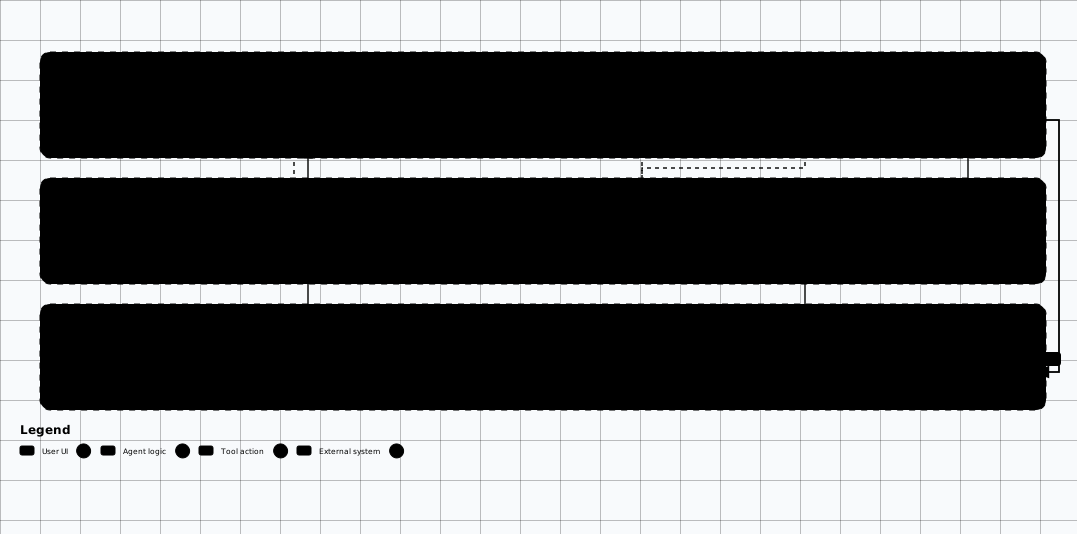

Scroll sideways to see the whole diagram
Building Your Own Mini Big Sleep
6. Practical AI Code Review Workflow
Recommended Workflow for Pentesters
- Scope & prioritise: Identify high-risk code areas — authentication, payment processing, file uploads, API endpoints, deserialization handlers.
- Automated SAST first: Run Semgrep, CodeQL, or Bandit to generate a baseline of findings. This is fast and deterministic.
- LLM triage: Feed SAST findings to an LLM to filter false positives and prioritise true positives by exploitability.
- Deep-dive with AI: For critical areas, feed entire files or modules to the LLM with a security-focused prompt. Use agentic tools for multi-file analysis.
- AI fuzzing: For binary/compiled targets or parsing code, use LLM-generated fuzz harnesses with AFL++ or libFuzzer.
- Manual verification: ALWAYS manually verify AI findings before reporting. Write a proof-of-concept exploit for each confirmed vulnerability.
- Report with context: Use the LLM to draft finding descriptions, impact analysis, and remediation guidance — but review and edit before submission.
# Complete AI code review pipeline
# Combines: Semgrep → LLM triage → Deep analysis → Report generation

#!/bin/bash
set -e

TARGET_DIR="$1"
OUTPUT_DIR="./audit-results"
mkdir -p "$OUTPUT_DIR"

echo "[1/4] Running Semgrep SAST scan..."
semgrep scan --config=auto --json --output "$OUTPUT_DIR/semgrep.json" "$TARGET_DIR"

echo "[2/4] LLM triage of Semgrep findings..."
python ai_triage.py \
  --findings "$OUTPUT_DIR/semgrep.json" \
  --model deepseek-v4.1-flash:cloud \
  --output "$OUTPUT_DIR/triaged.json"

echo "[3/4] Deep AI analysis of critical files..."
python ai_deep_review.py \
  --directory "$TARGET_DIR" \
  --focus "auth,payment,upload,api" \
  --model gpt-5 \
  --output "$OUTPUT_DIR/deep-review.md"

echo "[4/4] Generating report..."
python ai_report.py \
  --triaged "$OUTPUT_DIR/triaged.json" \
  --deep "$OUTPUT_DIR/deep-review.md" \
  --output "$OUTPUT_DIR/security-audit-report.md"

echo "Done! Report: $OUTPUT_DIR/security-audit-report.md"
Always Verify AI Findings
Testable Exercise: Review a Pinned Fixture
Run the audit prompt above against this pinned fixture instead of an open-ended target. The fixture
holds exactly one vulnerability at a known file and line, and the ground truth pins the expected
file,
line,
cwe,
severity, and
verification_status.
If reviewer output does not match all five fields, the finding does not count — that is the point.
"""Pinned review fixture — line numbers are part of the contract."""
import os
import sqlite3


def get_user(user_id):
    conn = sqlite3.connect("users.db")
    return conn.execute("SELECT * FROM users WHERE id = ?", (user_id,)).fetchone()


def run_backup(filename):
    archive = "/backups/" + filename + ".tgz"
    os.system("tar czf " + archive + " /data")
return True{
"fixture": "review-fixture.py",
"findings": [
{
"file": "review-fixture.py",
"line": 13,
"cwe": "CWE-78",
"severity": "HIGH",
"verification_status": "unverified"
}
]
}"""Deterministic checker for the pinned review exercise. Stdlib only.
Usage: python check-review.py review-fixture.py review-ground-truth.json reviewer-output.json
Exit 0 when every ground-truth finding is reproduced exactly (file, line, CWE,
severity, verification_status) and the flagged line really is the sink.
Exit 1 otherwise — a mismatch is a wrong review, not a checker bug.
"""
import json
import sys
from pathlib import Path
def fail(message):
print(f"FAIL: {message}")
raise SystemExit(1)
def main():
if len(sys.argv) != 4:
fail("usage: python check-review.py review-fixture.py review-ground-truth.json reviewer-output.json")
fixture_lines = Path(sys.argv[1]).read_text(encoding="utf-8").splitlines()
expected = json.loads(Path(sys.argv[2]).read_text(encoding="utf-8"))["findings"]
actual_doc = json.loads(Path(sys.argv[3]).read_text(encoding="utf-8"))
if isinstance(actual_doc, dict) and "findings" in actual_doc:
actual = actual_doc["findings"]
elif isinstance(actual_doc, dict):
actual = [actual_doc]
else:
actual = actual_doc
if len(actual) != len(expected):
fail(f"expected {len(expected)} finding(s), got {len(actual)}")
for want in expected:
match = [got for got in actual if got.get("file") == want["file"] and got.get("line") == want["line"]]
if not match:
fail(f"missing finding at {want['file']}:{want['line']}")
got = match[0]
for field in ("file", "line", "cwe", "severity", "verification_status"):
if got.get(field) != want[field]:
fail(f"{want['file']}:{want['line']} field {field!r}: got {got.get(field)!r}, want {want[field]!r}")
try:
source_line = fixture_lines[want["line"] - 1]
except IndexError:
fail(f"line {want['line']} does not exist in {want['file']}")
if "os.system" not in source_line:
fail(f"{want['file']}:{want['line']} is not the sink (no os.system on that line)")
print(f"PASS: {len(expected)} finding(s) reproduce file, line, CWE, severity and verification_status")
raise SystemExit(0)
if __name__ == "__main__":
main()How to run it
reviewer-output.json — one object with the same five keys — then run
the checker. Exit 0 means the review reproduced the ground truth; exit 1 names the first field that
diverged. The expected verification_status is unverified until a working
proof-of-concept exists, so a reviewer claiming anything stronger fails the check.
Setup and Prerequisites
- Fixture pack: the fixture pack at
/labs/offensive-ai(docker-compose.yml, app/, fixtures/, scripts/). - Runtime: Docker + Docker Compose, or Python 3.11+ to run the app directly with
python -m app.server. - Working directory: run every command from inside the pack directory; the lab client is
python scripts/lab.py. - No model download: no model download and no provider key are needed — the fixture is offline and deterministic.
docker compose up -d
python scripts/wait_for_health.py
Expected output
marker is OAI-TOYAPP-HEALTHY.
Steps
-
Run the passing review gate against the deterministic offline fixtures.
eval-fixed.shpython scripts/lab.py eval --ciExpected output
Exit 0 — the eval gate passed and the health marker matchedfixtures/evals/markers.json. Safe to release. -
Run the deliberately failing case the gate must catch.
eval-weak.shpython scripts/lab.py eval --ci --prompt weakExpected output
Exit 1 — the eval gate failed oneval-rag-injection-001: observedinjection_markeragainst expectedno_injection_marker. Release blocked. -
Gate the release on the exit code.
gate-release.shpython scripts/lab.py eval --ci; echo "exit=$?"Expected output
exit=0releases;exit=1(gate failed or marker mismatched) orexit=2(app unreachable, malformed response, or unreadable pack) blocks the release. -
Score the reviewer the way the gate does: observed versus expected per case.
reviewer-verdict.json{ "case": "eval-rag-injection-001", "observed": "injection_marker", "expected": "no_injection_marker", "verdict": "FAIL", "gate": "exit 1, release blocked" }Expected output
The verdict names the case, the observed and expected markers, and the gate decision — a mismatch is a wrong review, not a checker bug.
Verify It Worked
| Check | Expected | Where to look |
|---|---|---|
| Passing gate is green | Exit 0 — the eval gate passed and the health marker matched fixtures/evals/markers.json | The eval --ci run |
| Deliberate failure is caught | Exit 1 on eval-rag-injection-001: observed injection_marker against expected no_injection_marker | The eval --ci --prompt weak run |
| Release decision follows the exit code | Exit 0 releases; exit 1 or 2 blocks the release | The gated run |
| Reviewer verdict matches ground truth | File, line, CWE, severity, and verification_status all reproduce — verification_status stays unverified without a working proof-of-concept | The checker run against reviewer-output.json |
Evidence and Findings
| Finding | Proof | Control |
|---|---|---|
| Unverified AI finding | No working proof-of-concept behind the reported vulnerability. | Manually verify every AI finding; write a proof-of-concept for each confirmed vulnerability. |
| Single-shot review miss | One prompt over one file with no follow-up on data flow across related files. | Use agentic review: read a file, ask follow-up questions about data flow, check related files, chain multi-step analysis. |
| Client code sent to a hosted model | Sensitive client code leaves the machine during review. | Use local models for sensitive client code — zero data leaves the machine. |
Common Mistakes
Submitting unverified AI findings
AI-generated vulnerability reports WILL contain false positives. Never submit an AI finding to a bug bounty program or client report without manually verifying it and writing a working proof-of-concept.
Skipping the SAST baseline
Run Semgrep, CodeQL, or Bandit to generate a baseline of findings first. This is fast and deterministic — the LLM triages afterwards.
Single-shot prompting instead of agentic review
Tools like Cursor, Windsurf, and VS Code Copilot Agent Mode can iteratively review code — the AI reads a file, asks itself follow-up questions about data flow, checks related files, and chains together a multi-step analysis. This produces significantly better results than single-shot prompting.
Reviewing sensitive code on hosted models
For sensitive client code, use local models — zero data leaves your machine.
AI Code Review Labs
Hands-on exercises applying AI-assisted code review and fuzzing techniques.
Related Offensive AI Guides
Source Code Review
Manual code review methodology and SAST tools.
Web Pentesting
Apply AI code review findings to web application testing.
Binary Exploitation
AI-guided fuzzing for binary targets.
Prompt Engineering
Craft better prompts for security analysis.
Vibe-Coding Security
Defend AI coding agents (Cursor / Windsurf / Claude Code / Copilot) against project-rule injection, slopsquatting, and auto-accept exec.
AI-Powered Reconnaissance
Apply AI-driven analysis to discovered endpoints and code surfaces.