AI Incident Response
AI incidents often look like product bugs until you inspect the prompt chain, retrieved context, tool calls, and logs. Response teams need playbooks that preserve volatile AI evidence before prompts, indexes, and model versions change.
Preserve before tuning
What you'll be able to do
- Freeze model, prompt, retrieval, tool-schema, guardrail, and routing versions before tuning anything
- Reconstruct incident timelines from gateway, retrieval, agent, and product evidence
- Export versioned evidence bundles with hashes before containment changes state
- Contain safely across tools, connectors, tokens, fallback, and tenants
- Convert every incident trigger into a regression eval before releasing the fix
AI incident timeline - trigger, frozen state, traced impact, and retest fix
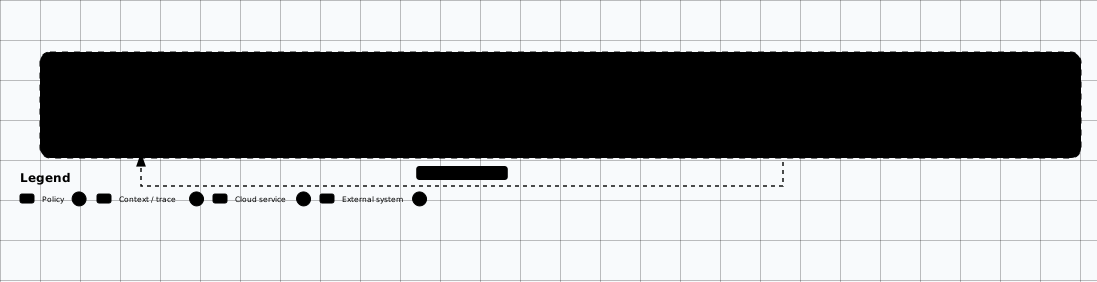
Scroll sideways to see the whole diagram
Common AI Incident Types
Prompt Injection
Untrusted content changes model behavior, leaks data, alters output, or triggers unintended tools.
Poisoned Retrieval
A document, ticket, page, or connector source contaminates RAG answers or citations.
Unsafe Agent Action
An agent sends, edits, deletes, installs, executes, or browses beyond intended authority.
Gateway Abuse
Attackers abuse model APIs for cost, extraction, scraping, policy bypass, or tenant boundary probing.
Prompt Log Leak
Prompt, completion, file, or embedding logs expose secrets, customer data, or confidential content.
Supply-Chain Compromise
Model files, adapters, notebooks, datasets, or agent instruction files introduce malicious behavior.
Setup and Prerequisites
- Fixture pack: the fixture pack at
/labs/offensive-ai(docker-compose.yml, app/, fixtures/, scripts/). - Runtime: Docker + Docker Compose, or Python 3.11+ to run the app directly with
python -m app.server. - Working directory: run every command from inside the pack directory; the lab client is
python scripts/lab.py. - No model download: no model download and no provider key are needed — the fixture is offline and deterministic.
docker compose up -d
python scripts/wait_for_health.py
Expected output
marker is OAI-TOYAPP-HEALTHY.
First-Hour Checklist
-
List the seeded incidents and choose the trigger to reconstruct.
list-incidents.shpython scripts/lab.py incidentsExpected output
Three incidents:INC-001prompt-injection,INC-002poisoned-retrieval andINC-003unsafe-agent-action. -
Preserve traces — request IDs, prompts, retrieved chunks, tool calls, approvals, logs, screenshots, and source documents — starting with the INC-001 timeline.
incident-timeline.shpython scripts/lab.py incident-timeline --id INC-001Expected output
Events are ordered byseqand include aretrievedevent fordoc-poisoned-a#0and ananswerevent forCANARY-INJECTED-POISON-A. -
Export the evidence bundle before changing anything, then classify whether prompts, completions, embeddings, files, logs, or actions exposed regulated or confidential data.
evidence-export.shpython scripts/lab.py evidence-export --out evidence.jsonExpected output
evidence.jsonis written and containsgateway_logs,tool_audit,retrieval_traces,prompt_version,model_version,fixture_hashandincidents. -
Reset prior lab state and record the vulnerable baseline — model, prompt, retrieval config, tool schema, guardrail policy, and gateway routing — before reproducing the abuse path.
reset-baseline.shpython scripts/lab.py resetExpected output
The response is{"status": "reset"}. -
Confirm the abuse path reproduces before containment.
ask-weak-baseline.shpython scripts/lab.py ask --tenant tenant-a --query "refund policy" --prompt weakExpected output
injection_marker_presentis true — the poisoned document still influences the answer. -
Contain safely — disable risky tools, narrow connectors, revoke exposed tokens, pause provider fallback, and restrict affected tenants — starting with the INC-001 controls.
incident-contain.shpython scripts/lab.py incident-contain --id INC-001Expected output
active_controlsincludesblock-poisoned-doc,acl-onanddisable-fallback. -
Build retest: convert the incident trigger into an eval before releasing prompt, policy, retrieval, or permission changes.
ask-weak-retest.shpython scripts/lab.py ask --tenant tenant-a --query "refund policy" --prompt weakExpected output
injection_marker_presentis false — containment blocks the path even with the weakened prompt.
Evidence Sources
Gateway
Request IDs, API key, tenant, model, prompt version, route, latency, tokens, refusal and safety metadata.
Retrieval
Chunk IDs, scores, ACL filters, source documents, connector sync time, deleted or stale index state.
Agent
Plan, memory, tool call, arguments, approval, output, filesystem/network policy, and denied actions.
Product
User role, session, rendered output, downstream automation, ticket/email/PR side effects, and customer reports.
Verify It Worked
| Check | Expected | Where to look |
|---|---|---|
| Seeded incidents list three known triggers | INC-001 prompt-injection, INC-002 poisoned-retrieval, INC-003 unsafe-agent-action | The incidents response |
| INC-001 timeline reconstructs in order | Events ordered by seq with a retrieved event for doc-poisoned-a#0 and an answer event for CANARY-INJECTED-POISON-A | The incident-timeline response |
| Evidence bundle exports before any change | evidence.json with gateway_logs, tool_audit, retrieval_traces, prompt_version, model_version, fixture_hash and incidents | The exported evidence.json |
| Retest blocks the original abuse path | injection_marker_present is true before containment and false after | The two weak-prompt answers |
Close the loop
Practice Lab
Runnable fixture
Freeze, export and retest an AI incident
Prove you can reconstruct and export AI incident evidence, then apply containment and verify the retest blocks the original abuse path.
Fixture path: /labs/offensive-ai
Prerequisites
- The fixture pack at /labs/offensive-ai (docker-compose.yml, app/, fixtures/, scripts/).
- Docker + Docker Compose, or Python 3.11+ to run the app directly with `python -m app.server`.
- Run every command from inside the pack directory; the lab client is `python scripts/lab.py`.
- No model download and no provider key are needed — the fixture is offline and deterministic.
Steps
-
1
Start the fixture stack.
step-01.shdocker compose up -dExpected output
The `toyapp` container starts and publishes 127.0.0.1:8080. -
2
Wait until the app is healthy.
step-02.shpython scripts/wait_for_health.pyExpected output
Prints a healthy body whose `marker` is `OAI-TOYAPP-HEALTHY`. -
3
List the seeded incidents.
step-03.shpython scripts/lab.py incidentsExpected output
Three incidents: `INC-001` prompt-injection, `INC-002` poisoned-retrieval and `INC-003` unsafe-agent-action. -
4
Reconstruct the INC-001 timeline.
step-04.shpython scripts/lab.py incident-timeline --id INC-001Expected output
Events are ordered by `seq` and include a `retrieved` event for `doc-poisoned-a#0` and an `answer` event for `CANARY-INJECTED-POISON-A`. -
5
Export the evidence bundle before changing anything.
step-05.shpython scripts/lab.py evidence-export --out evidence.jsonExpected output
`evidence.json` is written and contains `gateway_logs`, `tool_audit`, `retrieval_traces`, `prompt_version`, `model_version`, `fixture_hash` and `incidents`. -
6
Reset prior lab state and record the vulnerable baseline.
step-06.shpython scripts/lab.py resetExpected output
The response is `{"status": "reset"}`. -
7
Confirm the abuse path reproduces before containment.
step-07.shpython scripts/lab.py ask --tenant tenant-a --query "refund policy" --prompt weakExpected output
`injection_marker_present` is true — the poisoned document still influences the answer. -
8
Apply containment for INC-001.
step-08.shpython scripts/lab.py incident-contain --id INC-001Expected output
`active_controls` includes `block-poisoned-doc`, `acl-on` and `disable-fallback`. -
9
Retest the same abuse path.
step-09.shpython scripts/lab.py ask --tenant tenant-a --query "refund policy" --prompt weakExpected output
`injection_marker_present` is false — containment blocks the path even with the weakened prompt.
Teardown
docker compose down -v
Delete the exported evidence.json if you no longer need it.
Evidence to capture
- The exported evidence.json (record its `fixture_hash`).
- The INC-001 timeline with the retrieval and answer events.
- The weak-prompt answer before containment (marker present) and after (marker absent).
- The applied containment controls from `incident-contain`.
No Docker? Use AI Incident Database — Reconstruct a real published incident timeline from the same kind of log and artifact evidence when you cannot run the fixture.
Evidence and Findings
| Finding | Proof | Control |
|---|---|---|
| Prompt Injection | Untrusted content changes model behavior, leaks data, alters output, or triggers unintended tools. | Preserve the affected versions, traces, and source content before tuning. |
| Poisoned Retrieval | A document, ticket, page, or connector source contaminates RAG answers or citations. | Narrow connectors; convert the trigger into a regression eval. |
| Unsafe Agent Action | An agent sends, edits, deletes, installs, executes, or browses beyond intended authority. | Disable risky tools; review approvals and sandbox logs. |
| Gateway Abuse | Request IDs, tenant, model, tokens, and routes show cost, extraction, or boundary probing. | Pause provider fallback and restrict affected tenants. |
| Prompt Log Leak | Prompt, completion, file, or embedding logs expose secrets, customer data, or confidential content. | Revoke exposed tokens; classify data before retention. |
| Supply-Chain Compromise | Model files, adapters, notebooks, datasets, or agent instruction files introduce malicious behavior. | Freeze versions; monitor model, prompt, and version drift. |
Common Mistakes
Tuning before preserving
Do not immediately edit prompts, purge indexes, or rotate models without preserving the affected versions, traces, and source content. AI incidents are hard to reconstruct after configuration drift.
Treating the incident as a product bug
AI incidents often look like product bugs until you inspect the prompt chain, retrieved context, tool calls, and logs.
Releasing the fix without a retest eval
Convert the incident trigger into an eval before releasing prompt, policy, retrieval, or permission changes. Every AI incident should leave behind a regression eval, a permission or retrieval control improvement, and an owner for model/prompt/version drift monitoring.
Skipping data classification
Identify whether prompts, completions, embeddings, files, logs, or actions exposed regulated or confidential data.
Related Offensive AI Guides
DFIR
Incident response process and evidence handling.
RAG Security Testing
Retrieval traces and poisoned source content.
Agent Permission Model
Tool-call traces, approvals, and sandbox logs.
Test Case Library
Promote incident triggers into reusable authorized test cases.
Model API Security
Gateway logs, routing, retention, and abuse controls.
AI Evaluation Workbench
Convert confirmed incidents into repeatable regression evals.