Cloud-Native Security
Cloud-native architectures require security approaches designed for dynamic, distributed, and ephemeral infrastructure. Traditional security tools don't work in environments where resources are created and destroyed in seconds.
Cloud-Native Security Controls
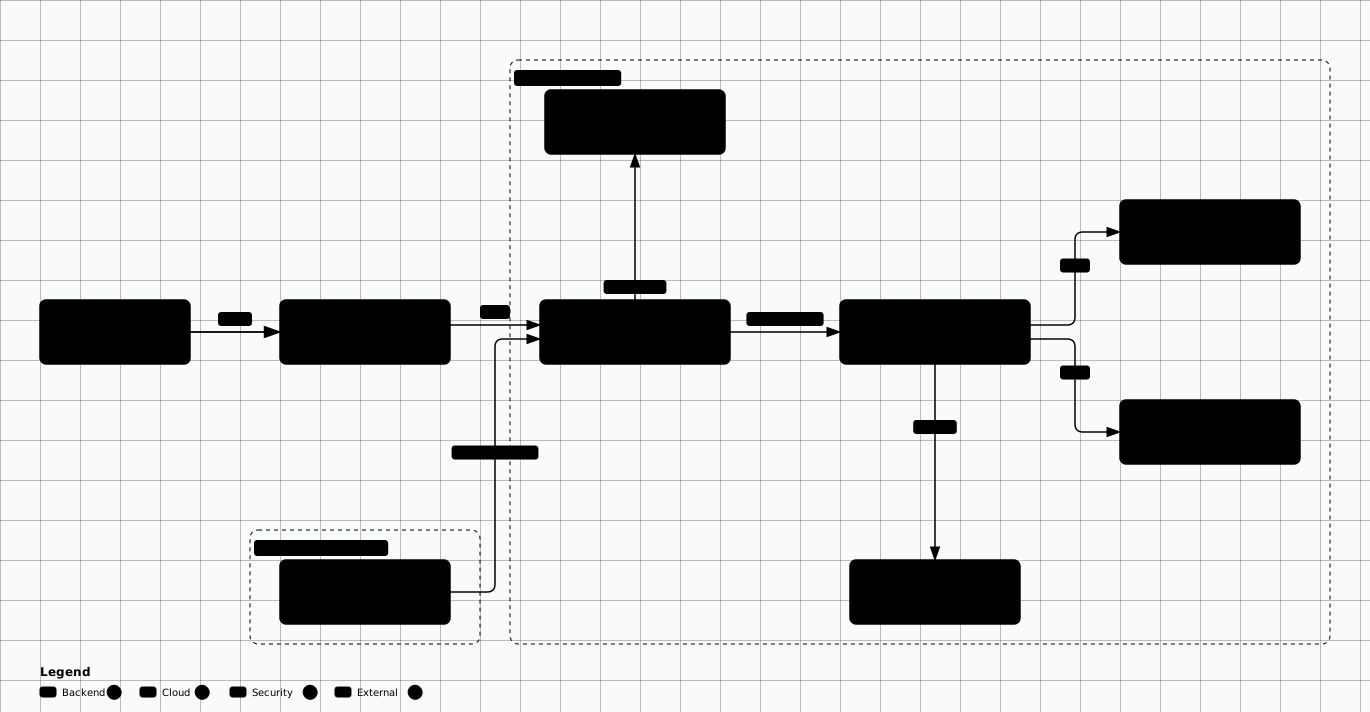
Scroll sideways to see the whole diagram
Container Security
Containers are the unit of trust on a cloud-native platform, so hardening the image is the first control that matters. A container image is an immutable, layered filesystem — every build step leaves a layer behind, which means a secret copied into a layer cannot be removed by deleting it in a later step; it stays recoverable from the registry. NIST SP 800-190 (Application Container Security Guide) is the canonical reference: it maps risk across the image lifecycle, registry, orchestrator, container, and host.
The common failure is treating image scanning as a one-time gate. A base image that was clean at build time accumulates CVEs the moment a new advisory lands, and a scan at deploy time is too late if the running workload was never rebuilt. Enforce Kubernetes Pod Security Standards, pin digests rather than mutable tags, and rebuild on a schedule — not only on application changes. The OWASP Kubernetes Top 10 covers the workload-level risks — over-privileged service accounts, exposed dashboards, secrets in manifests — that an image scanner will not catch.
Image Security
- • Use minimal base images (distroless, Alpine)
- • Scan images for vulnerabilities (Trivy, Snyk, Clair)
- • Sign and verify images (Cosign, Notary)
- • Use private registries with access controls
- • Implement image admission policies
Runtime Security
- • Run as non-root user
- • Read-only root filesystem
- • Drop all capabilities, add only needed
- • Use seccomp and AppArmor profiles
- • Runtime threat detection (Falco, Sysdig)
Kubernetes Security
- • Enable RBAC with least privilege
- • Use Pod Security Standards (restricted)
- • Network Policies for pod isolation
- • Secrets management (External Secrets, Vault)
- • Audit logging enabled
Practical: Hardened Dockerfile
# Stage 1: Build
FROM golang:1.25-alpine AS builder
RUN apk add --no-cache git ca-certificates
WORKDIR /app
COPY go.mod go.sum ./
RUN go mod download
COPY . .
RUN CGO_ENABLED=0 GOOS=linux go build -ldflags="-s -w" -o /app/server .

# Stage 2: Production — distroless image (no shell, no package manager)
FROM gcr.io/distroless/static-debian12:nonroot

# Copy only the binary and CA certs
COPY --from=builder /app/server /server
COPY --from=builder /etc/ssl/certs/ca-certificates.crt /etc/ssl/certs/

# Run as the distroless nonroot user (UID 65532)
USER nonroot:nonroot

# Distroless has no shell or curl, so the health check must invoke the binary.
# This requires the app to implement a health subcommand/flag.
HEALTHCHECK --interval=30s --timeout=3s --start-period=5s --retries=3 \
  CMD ["/server", "-healthcheck"]

EXPOSE 8080

ENTRYPOINT ["/server"]

# What this achieves:
# ✓ Multi-stage build — no build tools in final image
# ✓ Distroless base — no shell, no package manager, ~2MB
# ✓ Non-root user — container cannot escalate to root
# ✓ Static binary — no libc dependency
# ✓ Stripped binary — smaller attack surface
Practical: Kubernetes Pod Security
# Kubernetes Pod Security Standards — Restricted profile
apiVersion: v1
kind: Pod
metadata:
  name: secure-app
  namespace: production
spec:
  automountServiceAccountToken: false  # Don't mount SA token
  securityContext:
    runAsNonRoot: true
    runAsUser: 65534
    runAsGroup: 65534
    fsGroup: 65534
    seccompProfile:
      type: RuntimeDefault
  containers:
    - name: app
      image: registry.example.com/app:v1.2.3@sha256:abc123...
      securityContext:
        allowPrivilegeEscalation: false
        readOnlyRootFilesystem: true
        capabilities:
          drop: ["ALL"]
        # No privileged, no hostNetwork, no hostPID, no hostIPC
      resources:
        limits:
          cpu: "500m"
          memory: "256Mi"
          ephemeral-storage: "100Mi"
        requests:
          cpu: "100m"
          memory: "128Mi"
      volumeMounts:
        - name: tmp
          mountPath: /tmp
  volumes:
    - name: tmp
      emptyDir:
        sizeLimit: "50Mi"
Service Mesh Security
A service mesh (Istio, Linkerd, or Consul Connect) moves service-to-service security out of application code and into the sidecar proxy that interposes every call. That matters because TLS, certificate rotation, and per-call authorization are easy to implement inconsistently in each service and almost impossible to audit once they are. Centralizing them in the data plane gives one policy model and one telemetry stream for east-west traffic; the Istio security model documents how identity, certificates, and policy fit together.
The common failure is deploying the mesh but leaving mTLS in PERMISSIVE mode. In
permissive mode the sidecar accepts both plaintext and mTLS, so a workload that never joined the
mesh can still reach the service — encryption is available but not enforced. Move to
STRICT mesh-wide only after every workload has a sidecar, and pair transport
authentication with an AuthorizationPolicy that denies by default: mTLS proves who
the caller is, not whether that caller may reach this route.
Mutual TLS (mTLS)
Automatic encryption and authentication between all services. No code changes required.
Authorization Policies
Define which services can communicate. Service A can call Service B, but not Service C.
Traffic Policies
Rate limiting, circuit breaking, and retry policies at the infrastructure level.
Observability
Automatic metrics, logs, and traces for all service-to-service calls.
Practical: Istio mTLS & Authorization
# Enforce strict mTLS mesh-wide
apiVersion: security.istio.io/v1
kind: PeerAuthentication
metadata:
  name: strict-mtls
  namespace: istio-system
spec:
  mtls:
    mode: STRICT
---
# Allow only frontend -> api-server communication
apiVersion: security.istio.io/v1
kind: AuthorizationPolicy
metadata:
  name: api-server-policy
  namespace: production
spec:
  selector:
    matchLabels:
      app: api-server
  action: ALLOW
  rules:
    - from:
        - source:
            principals: ["cluster.local/ns/production/sa/frontend"]
      to:
        - operation:
            methods: ["GET", "POST"]
            paths: ["/api/v1/*"]
CNAPP Comparison
| Platform | Strengths | Best For |
|---|---|---|
| Wiz | Agentless scanning, attack path analysis, fast deployment | Multi-cloud visibility |
| Prisma Cloud | Full lifecycle (code→cloud), CSPM + CWPP + CIEM | Comprehensive platform |
| Orca Security | SideScanning, no agents, risk prioritization | Low-effort coverage |
| Aqua Security | Container-focused, runtime protection, vShield | K8s-heavy environments |
| Prowler (OSS) | Free, CIS benchmarks, AWS/Azure/GCP support | Budget-conscious teams |
Serverless Security
Security Benefits
- ✓ No servers to patch
- ✓ Ephemeral execution environments
- ✓ Auto-scaling handles DDoS
- ✓ Smaller attack surface per function
Security Challenges
- ⚠ Function permissions often over-privileged
- ⚠ Dependency vulnerabilities
- ⚠ Event injection attacks
- ⚠ Limited observability
Serverless Security Best Practices
- ☐ Assign minimal IAM permissions per function
- ☐ Validate and sanitize all event inputs
- ☐ Use environment variables for non-sensitive config
- ☐ Secrets from Secrets Manager, not env vars
- ☐ Set memory and timeout limits
- ☐ Enable X-Ray or distributed tracing
- ☐ Use VPC for functions accessing internal resources
Cloud Security Posture Management (CSPM)
CSPM tools continuously monitor cloud configurations to detect misconfigurations, compliance violations, and security risks.
The control is continuous, API-driven configuration assessment: the tool reads the control plane of your cloud accounts (IAM policies, security groups, storage ACLs, encryption settings) and compares each resource against a benchmark such as the CIS Foundations Benchmarks. Its real value is the inventory and the drift signal, not the individual alert — a misconfiguration is a change, and the useful question is who can now reach that resource and what data it holds.
The common failure is running CSPM as an unfiltered firehose. Thousands of low-context findings train teams to ignore the tool, so the one critical public-data-store alert is lost in the noise. Scope the baseline to controls that map to your threats, route each finding to the owning team, and re-scan on infrastructure change instead of on a weekly cadence.
Common Misconfigurations
- • Public Blob containers
- • NSGs allowing 0.0.0.0/0
- • Unencrypted databases
- • Missing MFA on root accounts
- • Overly permissive IAM policies
CSPM Tools
- • Microsoft Defender for Cloud
- • GCP Security Command Center
- • Prisma Cloud, Wiz, Orca
- • Open source: Prowler, ScoutSuite
Infrastructure as Code Security
Shift Left
IaC Scanning Tools
Framework Alignment
ISO 27002:2022: A.8.9 (Configuration Management), A.8.25 (Secure Development Lifecycle), A.8.26 (Application Security Requirements)
CIS Controls v8.1: 4 (Secure Configuration), 16 (Application Software Security), 2 (Inventory of Software Assets)
CIS Benchmarks: Docker, Kubernetes, EKS/AKS/GKE, AWS/Azure/GCP Foundations
NIST SP 800-190: Application Container Security Guide
Related: Security Frameworks → | Reference Architectures →
Cloud-Native Security Labs
Harden a container image and lock down a Kubernetes namespace with the controls covered above.
Evidence to Capture
Cloud-native findings are configuration findings. Quote the field that decides the behaviour.
Image identity: The digest the workload runs, its base image, and whether the build produced a signature or SBOM attestation. A floating tag is not an identity.
Security context: The pod and container security context as deployed: run-as-non-root, read-only root filesystem, allow-privilege-escalation, capabilities, and the namespace enforcement label it runs under.
Mesh policy: The peer-authentication mode and the authorization policy selectors for the workload. State which workloads are STRICT and which remain PERMISSIVE.
Posture finding row: The benchmark control identifier, the resource identifier, the evaluation time, and any suppression with its justification. An unsuppressed stale finding is not evidence of a current gap.
Pipeline check: The policy-as-code rule that should have caught the manifest, and the pipeline run showing it evaluated. A scanner configured but not enforced is a reporting tool.
Likely False Positives
Configuration that looks unconstrained but is bounded by something the manifest does not show.
- Tag instead of digest: A registry with tag immutability enforced makes the tag a stable reference. The registry policy is the evidence.
- Privileged workload: A CNI or CSI daemon legitimately needs host access. Check it is confined to the system namespace and that admission control blocks the same shape elsewhere.
- Posture finding in an excluded scope: A dev subscription outside the assessment scope is a scoping note. Confirm the exclusion is written down and the workload has no production data path.
- No network policy on a single-tenant cluster: A cluster with one namespace and a node-level default-deny can be genuinely closed. Read the group or node policy before reporting lateral movement exposure.
- Missing WAF on a serverless endpoint: The platform gateway or CDN often terminates and filters in front of the function. The route configuration is the control.
Review Checklist
Build and image
- ☐ Confirm workloads reference digests and that the build fails on a critical image finding rather than warning.
- ☐ Read the Dockerfile for a non-root user, pinned base, and no build tooling left in the final stage.
- ☐ Check registry write access is limited to the pipeline identity.
- ☐ Verify a signature is verified at admission, not only produced at build.
Runtime controls
- ☐ Confirm the namespace carries the restricted enforcement label and read one workload rejected by it.
- ☐ Check egress is default-deny for workloads that do not need outbound access.
- ☐ Read the mesh peer-authentication mode and list the workloads still permitting plaintext.
- ☐ Confirm service-account tokens are not automounted into pods that never call the API.
Posture and IaC
- ☐ Check the scan cadence against the deployment cadence; a weekly scan of a daily deploy reviews the past.
- ☐ Confirm suppressions expire and name an owner.
- ☐ Read the IaC policy set for the resources actually used, not only the common ones.
- ☐ Confirm the pipeline blocks on the policy result for the production environment.
Remediation
Enforce at admission, then in the pipeline
Structural
- • Enforce the pod security profile at the namespace level so the control applies to every workload, including the next one deployed.
- • Set default-deny egress per namespace and open named destinations, mirroring the ingress posture.
- • Move the image identity to digests with admission verification, so a replaced tag cannot change what runs.
Compensating
- • Where a privileged workload cannot be removed, confine it to a system namespace and alert on any new privileged pod outside it.
- • For posture findings deferred by exception, record the compensating detective control and the review date.