DarkMoon
DarkMoon is an open-source autonomous penetration testing platform. An LLM "brain" plans the assessment, a privacy gateway tokenizes sensitive values the agents discover mid-campaign before they reach the model (the launch prompt itself is passed verbatim — see the Privacy Gateway section), and an MCP gatekeeper runs curated workflows inside an isolated Docker toolbox — so the AI reasons and coordinates but never touches the target directly.
DarkMoon v1.4.0 (2026-09-07)
github.com/ASCIT31/Dark-Moon · GPL-3.0 · Community & Pro editions
* Agent and tool counts are vendor-reported; the public repo, website, and docs quote different figures. Verify against your installed release.
Architecture Overview
DarkMoon enforces a strict separation of concerns: OpenCode plans, the Privacy Gateway tokenizes, the MCP gatekeeper decides what runs, and the Docker Toolbox executes isolated tools. The model never issues raw commands or sees raw target data.
DarkMoon Autonomous Assessment Flow
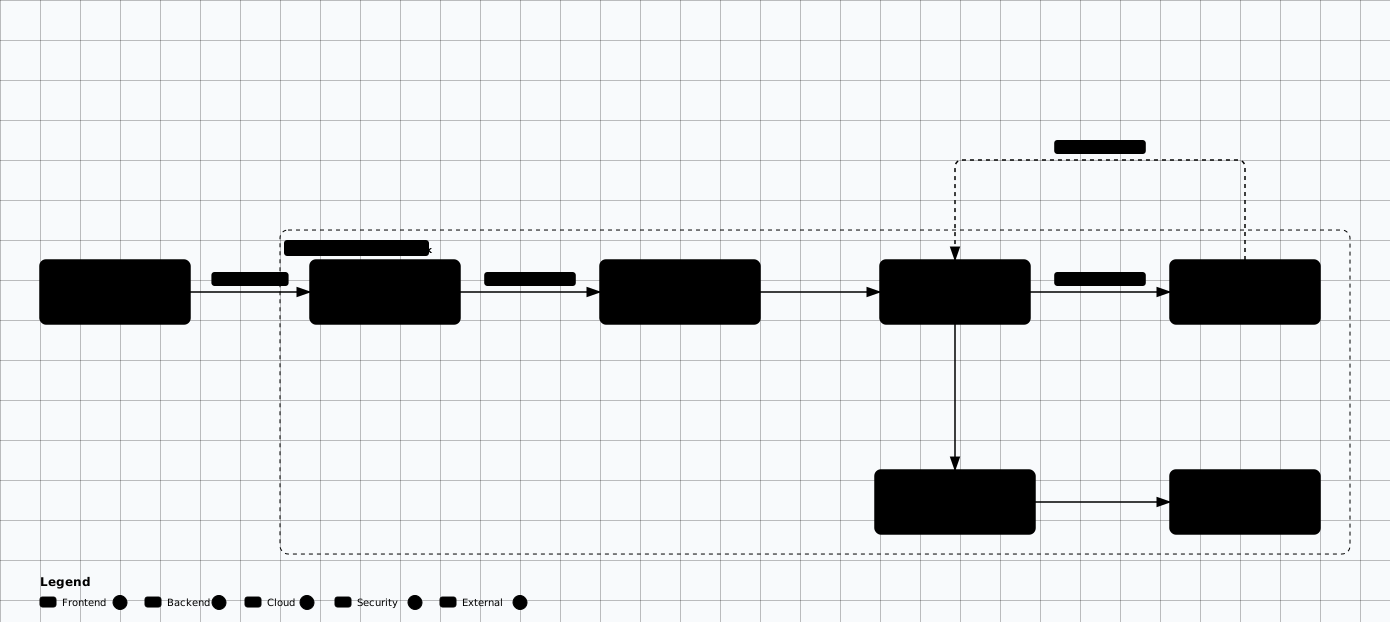
Scroll sideways to see the whole diagram
Where It Fits in an Engagement
DarkMoon is a breadth-first accelerator, not a replacement for manual depth. Point it at a scoped surface to enumerate technologies, run the relevant agents, and surface candidate findings quickly — then have an analyst reproduce anything it flags. Treat every autonomous result as a lead, not a deliverable.
Good fit
Wide external scopes, bug-bounty recon and triage, repeatable first-pass coverage, and data-sensitive engagements where the local privacy gateway matters.
Poor fit
Business-logic testing, multi-step exploit chains, tightly time-boxed manual work, or any context where autonomous actions are unacceptable.
Before any run
Bake it off against a manual baseline first so you know its false-positive rate and coverage gaps before it ever touches a client.
Privacy Gateway
The defining feature of the v1.4.0 line. Important limitation: the operator's launch prompt is passed to the model verbatim — it defines scope, so it cannot be redacted up front. Values the agents discover mid-campaign (private IPs, hostnames, URLs, secrets) are replaced with deterministic placeholders (IP_PRIVATE_001, CRED_SECRET_001) before subsequent LLM calls, then rehydrated locally inside the toolbox at execution time and re-masked on the way back. Anything placed in the launch prompt itself reaches the provider unredacted.
# Privacy gateway — what the model actually sees.
# The LAUNCH prompt is passed to the model verbatim: it defines scope, so it
# cannot be redacted up front. Values the agents discover MID-CAMPAIGN are
# deterministically tokenized locally before subsequent LLM calls and
# rehydrated only inside the Docker toolbox at execution time.

# Launch prompt (sent verbatim):
TARGET=vpn.acme-corp.com

# Mid-campaign discovery — what later turns send to the LLM provider:
#   discovered 10.20.4.8            -> IP_PRIVATE_001
#   discovered intranet.acme-corp.local -> HOST_PRIVATE_001
#   discovered svc_scan / Winter2026!   -> CRED_USER_001 / CRED_SECRET_001

# Tool results are re-masked on the way back, so the model never reasons
# over raw IPs, hostnames, URLs, or secrets it did not receive at launch.
Verify, don't assume
Specialized Agents
DarkMoon dispatches autonomous domain agents reactively: it discovers technologies, selects the relevant agent, validates findings with evidence, and iterates until attack-surface coverage is exhausted. The four agents below are the core domain agents; vendor docs now describe roughly 50 agents in total, though the published count varies across the repo, website, and docs (vendor-reported).
pentest-web
Web application vulnerabilities — crawling, fuzzing, injection, CMS, and GraphQL surfaces.
pentest-ad
Windows / Active Directory — enumeration, credential paths, and domain dominance workflows.
pentest-kubernetes
Kubernetes clusters — RBAC, kubelet exposure, and workload attack paths.
pentest-network
Infrastructure protocols — service discovery, fingerprinting, and network-layer checks.
Beneath the four domain agents, the assessment engine dispatches technology-reactive sub-agents as it fingerprints the target: stack-specific agents (PHP, Node.js, Flask, ASP.NET, Spring Boot, Ruby on Rails), a GraphQL agent, a headless-browser agent, and CMS engines (WordPress, Drupal, Joomla, Magento, PrestaShop, Moodle). Coverage therefore adapts to what the target actually runs rather than following a fixed checklist.
MCP Workflows & Toolbox
The AI never runs raw shell. MCP exposes workflows — Python modules that encapsulate a complete task (port scanning, vulnerability scanning, crawling) with structured inputs/outputs and timeout management. Those workflows drive a compiled Docker toolbox of 80+ utilities (vendor-reported).
| Category | Representative tools |
|---|---|
| Network | naabu, nmap, zgrab2, snmp utilities |
| Web | httpx, ffuf, nuclei, katana, sqlmap, wafw00f |
| Kubernetes | kubectl, kubeletctl, kubescape |
| AD / Infra | impacket (secretsdump, wmiexec, psexec), netexec, bloodhound |
| CMS | wpscan, cmseek, whatweb |
| Wordlists | SecLists, DIRB |
Installation
Prerequisites
Unknown state.
1. Clone & Install
# Clone the repository
git clone https://github.com/ASCIT31/Dark-Moon.git
cd Dark-Moon

# Interactive installer: pick LLM provider, pull the toolbox image,
# and build the OpenCode + MCP + Docker stack
./install.sh
2. Configure the LLM Provider
The interactive installer writes a .env. The docs' reference configuration is a current Opus-class frontier model; any current top-tier model works, and cloud and local providers are interchangeable.
# .env — provider selection for the OpenCode "AI brain"
# Reference configuration in the docs is a current Opus-class frontier model.
OPENCODE_MODEL="anthropic/claude-opus-5"       # or the current Opus-class frontier model
OPENROUTER_PROVIDER="anthropic"                # anthropic | openai | groq | mistral | openrouter | local
OPENROUTER_API_KEY="sk-or-..."                 # cloud/OpenRouter path uses OPENROUTER_API_KEY

# Local / self-hosted alternative (Ollama or llama.cpp).
# NOTE: sub-32B models cannot sustain autonomous campaigns.
# OPENROUTER_PROVIDER="local"
# OPENCODE_MODEL="ollama/qwen3-coder:30b"
Frontier cloud (recommended)
The docs cite an Opus-class model as the reference config; use a current Claude Opus 5-class frontier model, or a comparable OpenAI, Groq, Mistral, or OpenRouter model.
Local / self-hosted (32B+)
Current open-weight leaders such as DeepSeek V4, Kimi K2.6/K3, GLM-5.x, and Qwen 3.6/3.8, via Ollama or llama.cpp. Sub-32B models cannot sustain autonomous runs.
Model choice is a scope decision
3. Run an Authorized Campaign
# Bring the stack up
docker compose up -d

# Launch an authorized assessment against a scoped target
./darkmoon.sh "TARGET=example.com"

# Scope- and safety-bounded run. Directives use KEY=value. Note: OUT excludes
# HOSTS, EXCLUDE/FOCUS tune attack CLASSES, and NOISE bounds intensity.
./darkmoon.sh "TARGET=example.com \
  TARGETS=*.example.com \
  OUT=admin.example.com, payments.example.com \
  FOCUS=sqli, ssrf, idor \
  SEVERITY=high \
  NOISE=low \
  SAFE_HARBOR=yes \
  FORMAT=h1"
4. Validate Against a Lab Target First
Before pointing DarkMoon at a client, run it against a deliberately vulnerable target you control. This confirms the Docker stack, GPU/CPU inference, and mid-campaign tokenization all work, and shows you exactly what EXPLOITED vs Confirmed output looks like on a known-vulnerable app.
The smoke path below is Docker-only and was not executed on the authoring host — treat its pins and timings as unverified until you run them.
#!/usr/bin/env bash
# Deterministic DarkMoon smoke path: pinned target, isolated network,
# wait-for-readiness, known-marker assertion, full teardown.
# Docker-only and NOT executed on the authoring host (no Docker there).
set -euo pipefail

# 1. Pin the target image by digest (never :latest). Resolve once:
#    docker pull bkimminich/juice-shop:<tag>
#    docker inspect --format '{{index .RepoDigests 0}}' bkimminich/juice-shop:<tag>
TARGET_IMAGE="bkimminich/juice-shop@sha256:PASTE_DIGEST_FROM_INSPECT"
echo "$TARGET_IMAGE" | grep -q "@sha256:" || { echo "FAIL: TARGET_IMAGE is not digest-pinned"; exit 1; }

# 2. Isolated bridge network — no host networking for the target or the stack.
docker network inspect darkmoon-smoke-net >/dev/null 2>&1 || docker network create --driver bridge darkmoon-smoke-net

# 3. Target plus stack up. DarkMoon's own compose file must likewise pin
#    digests and attach to an isolated network.
docker run -d --name juiceshop-smoke --network darkmoon-smoke-net -p 127.0.0.1:3000:3000 "$TARGET_IMAGE"
docker compose up -d

# 4. Wait-for-readiness: fail closed after ~120 s.
READY=0
for i in $(seq 1 60); do
  if curl -fsS http://127.0.0.1:3000/rest/admin/application-version >/dev/null 2>&1; then READY=1; break; fi
  sleep 2
done
if [ "$READY" -ne 1 ]; then echo "FAIL: target not ready"; docker compose down -v; docker rm -f juiceshop-smoke >/dev/null 2>&1; exit 1; fi

# 5. Tight, low-noise campaign at the lab target only.
./darkmoon.sh "TARGET=http://127.0.0.1:3000 TARGETS=http://127.0.0.1:3000 NOISE=low SAFE_HARBOR=yes"
./darkmoon.sh --log SESSION_ID

# 6. Known-marker assertion: the version endpoint must still answer with a version field.
curl -fsS http://127.0.0.1:3000/rest/admin/application-version | grep -q '"version"' || { echo "FAIL: marker assertion"; exit 1; }
ls ./reports/

# 7. Full teardown: stack, target, network, and smoke reports.
docker compose down -v
docker rm -f juiceshop-smoke
docker network rm darkmoon-smoke-net
rm -rf ./reports/smoke-*
echo "PASS: smoke path complete, stack and reports removed"Docker-only path — unverified in this guide
While it runs, capture the outbound LLM traffic and confirm that canary values the agents discover mid-campaign are tokenized on subsequent calls. Remember the launch prompt itself is sent verbatim, so only mid-campaign discoveries are covered — that is the one real proof the privacy gateway holds.
Community vs Pro
| Capability | Community | Pro |
|---|---|---|
| Autonomous multi-agent campaigns | Yes | Yes |
| Privacy gateway (local tokenization) | Yes | Yes |
| 80+ tool Docker toolbox | Yes | Yes |
| Report formats | Standard · HackerOne · Bugcrowd | + Signed PDF |
| Web UI + scheduled campaigns | CLI only | Web UI at :80, scheduling |
| CI/CD headless mode | — | GitHub Actions · GitLab CI |
| SSO (Authelia / OIDC) | — | Yes |
| Vulnerability evolution tracking | — | Yes |
| Runtime hardening + sealed state | — | Yes |
Pro activation
# Pro Edition: activate with a licence key
sudo ./install.sh LICENSE-KEY

# Add or rotate LLM providers on a live stack
./darkmoon.sh --connect

# Web UI (change the default admin/admin credentials immediately)
# http://localhost:80
Pro runtime hardening
Licence + hardware fingerprinting
Binds the Pro stack to authorized hosts.
Locked-down runtime
Read-only filesystem, no-new-privileges, all Linux capabilities dropped.
Integrity verification
Runtime SHA-256 checks of the compose policy and toolbox binaries.
Sealed state
AES-GCM encrypted campaign state at rest.
Tamper response
Debugger detection, fork-bomb limiting, and a compromise marker that blocks restart after tampering.
Scope & Safety Flags
Campaign behavior is controlled through directives passed in the run prompt. Scope is defined with TARGETS (in-scope) and OUT (out-of-scope); EXCLUDE and FOCUS tune attack classes, not hosts. Set these deliberately — defaults are permissive enough to wander outside a tight engagement.
EXCLUDE does not exclude hosts
EXCLUDE skips attack classes (e.g. dom-xss, clickjacking), not targets. To keep the agents off a host or range, use OUT. Confirm your exclusions with an out-of-scope canary in a lab before any client run.
| Flag | Purpose | Example |
|---|---|---|
| PROGRAM | Program / engagement name used in the report header | PROGRAM=Acme BB 2026 |
| TARGETS | Additional in-scope assets — domains, wildcards, APIs | TARGETS=*.acme.com, api.acme.com |
| OUT | Out-of-scope hosts, paths, or ranges the agents must never touch | OUT=payments.acme.com, 10.0.0.0/8 |
| EXCLUDE | Attack classes to skip — not hosts (use OUT for hosts) | EXCLUDE=dom-xss, clickjacking, CWE-352 |
| FOCUS | Prioritize specific attack classes | FOCUS=sqli, rce, ssrf, idor |
| CREDS | Authorized test credentials (part of the launch prompt — sent verbatim) | CREDS=admin:admin@test.com:Pass1@http://t/login |
| TOKEN | Pre-auth token / session material for authenticated testing | TOKEN=bearer:eyJhbG...@api.acme.com |
| NOISE | Discovery aggressiveness | NOISE=stealth | low | moderate |
| SEVERITY | Maximum severity the run is allowed to escalate to | SEVERITY=critical | high | medium | low |
| FORMAT | Report output format | FORMAT=standard | h1 | bugcrowd | custom |
| RULES | Free-text engagement rules the agents must follow | RULES=POC only; no real data |
| SAFE_HARBOR | Declare safe-harbor status for conservative behavior | SAFE_HARBOR=yes | no |
Usage example
Establish authorization in the run
TARGET=example.com
PROGRAM=acme-public-bbp
TARGETS=*.example.com
OUT=status.example.com, blog.example.com
FOCUS=idor, ssrf, sqli
SAFE_HARBOR=yes
SEVERITY=high

# I have written authorization to test *.example.com under the Acme
# public bug bounty program. Run an authorized assessment, validate
# findings with evidence, and produce a HackerOne-format report.
Monitoring, Output & Control
Campaigns run unattended, so know how to watch and bound them before you launch.
Live session log
./darkmoon.sh --log <session_id> streams every command the MCP server executes, so you can watch the agents in real time and catch out-of-scope behavior early.
Reports & artifacts
Findings, evidence, and the attack-surface graph are written to ./reports/. Pull raw request/response evidence from there straight into your own deliverable.
Stopping a run
There is no built-in pause or kill — a campaign runs until coverage is judged sufficient. To abort, tear the stack down with docker compose down.
No clean kill switch — bound runs up front
TARGETS/OUT, start unfamiliar targets at NOISE=stealth or low, cap escalation with SEVERITY, and validate scope enforcement in a lab before a client run. Frontier models running autonomously across a full surface can also run long and rack up token cost — bound the surface with FOCUS and SEVERITY rather than letting a run range freely.
Evidence & Reporting
Findings are reported only with supporting HTTP requests, payloads, and responses, and are triaged into two states so a human knows what still needs review:
EXPLOITED
Reproducible proof attached — the platform demonstrated the issue end to end.
Confirmed (review needed)
Strong signal but requires analyst validation before it goes in the report.
Reports export to standard, HackerOne, and Bugcrowd formats (signed PDF on Pro), alongside an interactive attack-surface graph and, on Pro, vulnerability-evolution tracking across campaigns.
Pre-Flight Checklist
Clear every item before pointing DarkMoon at anything you do not own.
- Written authorization that explicitly covers autonomous, tool-driven testing of the exact scope
- Scope encoded in the run: TARGETS for in-scope assets, OUT for every exclusion (not EXCLUDE)
- A dedicated, isolated engagement host or VM on an RoE-approved network path
- LLM provider, region, and retention cleared against the client's data-handling rules
- Privacy gateway verified against captured outbound traffic using canary values
- Pro Web UI default admin/admin credentials changed before exposure
- Scope-enforcement dry run in a lab: an out-of-scope canary confirmed blocked
- Emergency stop understood — docker compose down; there is no graceful abort
Troubleshooting
GPU driver error: could not select device driver "nvidia"
On WSL, run wsl --update then wsl --shutdown and restart Windows. On native Linux, reinstall nvidia-container-toolkit with the official GPG keys. No GPU? CPU fallback works via pocl-opencl-icd with no extra configuration.
Campaign stuck in the "Unknown" state
The model is too small. 7B/13B models cannot sustain the autonomous agent loop — switch to a frontier cloud model or a 32B+ local model.
Pasting into the prompt yields nothing
An OSC 52 clipboard limitation in your terminal, not DarkMoon. Use kitty, WezTerm, Alacritty, or Windows Terminal.
Security Considerations
- Run DarkMoon from an isolated host or VM dedicated to the engagement, on a network path approved by the RoE.
- Change the Pro Web UI's default
admin/admincredentials before exposing it to anything. - Set
EXCLUDE,SAFE_HARBOR, and target allowlists explicitly — autonomous agents will otherwise probe the full discovered surface. - Verify the privacy gateway against captured traffic before trusting it with real client IPs, hostnames, or credentials.
- Keep a human in the loop: treat
Confirmedfindings as hypotheses and reproduce them before reporting.
DarkMoon vs HexStrike AI
Project Links
Related Offensive AI Guides
Autonomous AI Pentest Platforms
Side-by-side comparison of DarkMoon, HexStrike, CAI, and other agentic platforms.
HexStrike AI
MCP automation platform with 150+ tools and 12+ agents.
MCP Security
Tool poisoning, shadowing, and hardening for MCP execution layers.
Agent Permission Model
Allowlists, approvals, sandboxing, and audit for tool-using agents.