Active Directory Lab Setup
Build your own Active Directory environment for practicing domain attacks, Kerberos exploitation, and privilege escalation techniques.
Resource Requirements
Isolated Domain Only
Isolate First
An intentionally vulnerable domain controller needs a network with no host adapter and no way out, which is what Internal Network gives you. Plain NAT shares the host and reaches your LAN through it; a bridged adapter puts the DC straight onto your home network, where it answers DHCP and DNS for your real devices.
- Network type
- VirtualBox Internal Network (no host adapter, no route out)
- Lab network
- lab-adnet
- Subnet
- 10.0.0.0/24
IP plan
| Role | IP |
|---|---|
| Domain controller (AD DS, DNS) (DC01) | 10.0.0.10 |
| Domain-joined workstation (WS01) | 10.0.0.20 |
| Kali attack VM (second/secondary adapter) (Kali) | 10.0.0.50 |
Create it
VirtualBox (VBoxManage)
# Same intnet name on every VM is what connects them; nothing is created on the host
VBoxManage modifyvm "DC01" --nic1 intnet --intnet1 lab-adnet
VBoxManage modifyvm "WS01" --nic1 intnet --intnet1 lab-adnet
VBoxManage modifyvm "Kali" --nic1 nat --nic2 intnet --intnet2 lab-adnet
VBoxManage list intnets
VMware, Hyper-V or KVM
# VMware: custom VMnet with "Connect a host virtual adapter" UNCHECKED, DHCP off, subnet 10.0.0.0/24
# Hyper-V: New-VMSwitch -Name lab-adnet -SwitchType Internal — then add no NAT rule for this switch
# KVM: network on 10.0.0.0/24 with <forward mode='none'/> and no <nat> element
Prove it is isolated
Get-NetIPConfiguration | Select-Object InterfaceAlias, IPv4Address, IPv4DefaultGatewayExpected: on DC01, only a 10.0.0.x address and no usable default gateway. If the DC has a gateway that reaches your router, the domain is on your home LAN — stop and remove that adapter.
Never bridge the domain controller: a bridged DC answers DHCP and DNS on your home LAN and every device on it can reach the domain.
Lab Runbook
Use this page as a controlled lab build, not a production hardening guide. Prove the network is isolated before running exercises, then validate and clean up from the operational section at the end of the page.
Plan
16 GB minimum, 32 GB preferred; 160 GB+. Free eval licenses. Isolation: Internal AD network, optional Kali NAT adapter for updates.
Outcomes
- - DC and workstation joined
- - Vulnerable users and SPNs
- - BloodHound data
- - Sysmon baseline
Lab Architecture
AD lab: isolated domain topology
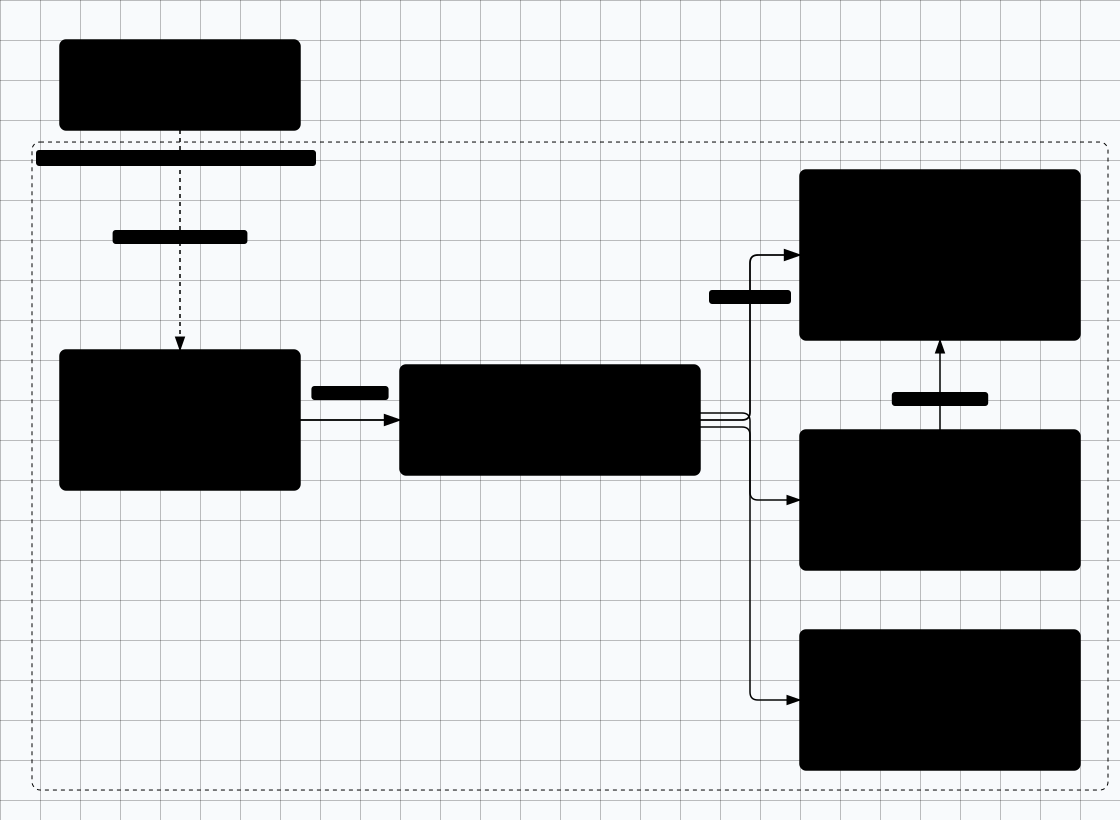

Scroll sideways to see the whole diagram
Required VMs
Use evaluation media only. The Microsoft Evaluation Center currently offers Windows Server 2025 and Windows 11 Enterprise evaluation ISOs; Windows 10 reached end of support on 14 October 2025, so do not build the victim workstation on it.
DC01 - Domain Controller
- OS: Windows Server 2025 (Desktop Experience, evaluation ISO)
- RAM: 4GB minimum
- Disk: 60GB
- Roles: AD DS, DNS, DHCP (optional)
- IP: 10.0.0.10 (static, see Step 0)
WS01/WS02 - Workstations
- OS: Windows 11 Enterprise (evaluation ISO)
- RAM: 2-4GB each
- Disk: 40GB each
- Domain joined: Yes
- IP: 10.0.0.20 (WS02: 10.0.0.21), static — see Step 0
Kali - Attacker Workstation
- OS: Kali Linux (see Kali setup — build this first)
- RAM: 4GB minimum
- Disk: 40GB
- IP: 10.0.0.50 (lab segment, static)
- Tools: Impacket, BloodHound CE + bloodhound-python, NetExec, Certipy, Responder
Every attack and BloodHound collection step in this lab runs from this machine. Keep the Kali NAT adapter disconnected except while installing tools.
Step 0: Isolate the Lab Network
Apply the Isolate First block at the top of this page before you install Windows: it carries the network type, the subnet, the create commands and the isolation proof, and none of that is repeated here. This step only adds the rules that are specific to a domain controller.
AD-specific addressing rules
- DC01 — DNS server 127.0.0.1. Leave the default gateway empty: Step 1.1 deliberately omits it so the DC has no route to your router.
- WS01 / WS02 — DNS server 10.0.0.10 only. A second DNS server (your router, or a public resolver) makes domain join in Step 2 fail intermittently with "domain not found".
- Kali — second adapter carries NAT for package installs. Disconnect that adapter before you start attacking: an adapter that can still reach your router is exactly the leak the isolation check looks for.
- If your VMs already use different addresses, re-address them to the plan above before promoting DC01 rather than after.
Build the attacker machine first if you have not already: follow Kali setup. BloodHound collection, Kerberos attacks, and every relay exercise in this lab run from that VM, and the runbook's validation step expects BloodHound data collected from it.
Step 1: Domain Controller Setup
1.1 Install Windows Server
- Create VM with 4GB RAM, 60GB disk and the internal adapter from Step 0
- Install Windows Server 2025 (Desktop Experience) from the Evaluation Center ISO
- Set static IP: 10.0.0.10, subnet mask: 255.255.255.0, gateway: leave blank, DNS: 127.0.0.1
- Rename computer to DC01
- Keep Windows Firewall enabled for all profiles. Troubleshoot by allowing the specific port (DNS 53, Kerberos 88, LDAP 389, SMB 445, RPC 135/49152-65535) rather than turning the firewall off; if you do disable it temporarily, snapshot first and re-enable it before continuing.
1.2 Install AD DS Role
# PowerShell - Install AD DS
Install-WindowsFeature AD-Domain-Services -IncludeManagementTools

# Promote to Domain Controller
Install-ADDSForest -DomainName "lab.local" -DomainNetBIOSName "LAB" -InstallDNS -SafeModeAdministratorPassword (ConvertTo-SecureString "P@ssw0rd123!" -AsPlainText -Force) -Force
Server will reboot after promotion completes.
1.3 Create Vulnerable Configuration
# Create OUs
New-ADOrganizationalUnit -Name "Corp" -Path "DC=lab,DC=local"
New-ADOrganizationalUnit -Name "Users" -Path "OU=Corp,DC=lab,DC=local"
New-ADOrganizationalUnit -Name "Groups" -Path "OU=Corp,DC=lab,DC=local"
New-ADOrganizationalUnit -Name "Computers" -Path "OU=Corp,DC=lab,DC=local"
New-ADOrganizationalUnit -Name "Service Accounts" -Path "OU=Corp,DC=lab,DC=local"

# Create Users with weak passwords (for testing)
$password = ConvertTo-SecureString "LAB_ONLY_Password123!" -AsPlainText -Force

New-ADUser -Name "John Smith" -SamAccountName "jsmith" -UserPrincipalName "jsmith@lab.local" -Path "OU=Users,OU=Corp,DC=lab,DC=local" -AccountPassword $password -Enabled $true

New-ADUser -Name "Admin User" -SamAccountName "admin.user" -UserPrincipalName "admin.user@lab.local" -Path "OU=Users,OU=Corp,DC=lab,DC=local" -AccountPassword $password -Enabled $true

# Create a Kerberoastable service account
New-ADUser -Name "SQL Service" -SamAccountName "svc_sql" -UserPrincipalName "svc_sql@lab.local" -Path "OU=Service Accounts,OU=Corp,DC=lab,DC=local" -AccountPassword $password -Enabled $true -ServicePrincipalNames "MSSQLSvc/sql.lab.local:1433"

# Create AS-REP Roastable user (no pre-auth)
Set-ADAccountControl -Identity "jsmith" -DoesNotRequirePreAuth $true

# Add admin.user to Domain Admins
Add-ADGroupMember -Identity "Domain Admins" -Members "admin.user"
Step 2: Workstation Setup
# Set DNS to DC
Set-DnsClientServerAddress -InterfaceAlias "Ethernet" -ServerAddresses 10.0.0.10

# Join domain
Add-Computer -DomainName "lab.local" -Credential LAB\Administrator -Restart

# After restart, add local admin (run as domain admin)
Add-LocalGroupMember -Group "Administrators" -Member "LAB\jsmith"

# Enable WinRM for remote attacks
Enable-PSRemoting -Force
Set-Item WSMan:\localhost\Client\TrustedHosts -Value "*" -Force
Step 3: Add Vulnerable Configurations
Lab Only!
Unconstrained Delegation
# On DC - Enable on WS01
Set-ADComputer -Identity "WS01" -TrustedForDelegation $true
Weak GPO Permissions
# Allow jsmith to edit Default Domain Policy
Set-GPPermission -Name "Default Domain Policy" -TargetName "jsmith" -TargetType User -PermissionLevel GpoEdit
DCSync Rights
# Grant DCSync to admin.user
Add-ADPermission -Identity "DC=lab,DC=local" -User "admin.user" -Rights ExtendedRight -ExtendedRights "Replicating Directory Changes All"
LLMNR/NBT-NS Enabled
Leave default - these are enabled by default and vulnerable to poisoning attacks.
AD CS - Vulnerable Certificate Templates (ESC1, ESC4, ESC8)
# ===== Install AD Certificate Services =====
Install-WindowsFeature ADCS-Cert-Authority -IncludeManagementTools
Install-AdcsCertificationAuthority -CAType EnterpriseRootCA -Force

# Also install the web enrollment service (needed for ESC8)
Install-WindowsFeature ADCS-Web-Enrollment
Install-AdcsWebEnrollment -Force

# ===== ESC1: Enrollee Supplies Subject Alternative Name =====
# Allows any enrolled user to request a cert as any other user (e.g., Domain Admin)
$configNC = (Get-ADRootDSE).configurationNamingContext
$tmplDN = "CN=Certificate Templates,CN=Public Key Services,CN=Services,$configNC"
$userTmpl = Get-ADObject -SearchBase $tmplDN -Filter {cn -eq 'User'}
$esc1 = $userTmpl | Copy-ADObject -TargetPath $tmplDN
Rename-ADObject $esc1 -NewName "VulnESC1"
Set-ADObject $esc1 -Replace @{
  'msPKI-Certificate-Name-Flag' = 1          # ENROLLEE_SUPPLIES_SUBJECT
  'displayName' = 'Vuln ESC1 Template'
}

# ===== ESC4: Vulnerable Template ACLs =====
# Grant Domain Users write access to a certificate template
$esc4 = $userTmpl | Copy-ADObject -TargetPath $tmplDN
Rename-ADObject $esc4 -NewName "VulnESC4"
Set-ADObject $esc4 -Replace @{'displayName' = 'Vuln ESC4 Template'}
$domainUsers = New-Object System.Security.Principal.NTAccount("LAB\Domain Users")
$acl = Get-Acl "AD:\$($esc4.DistinguishedName)"
$ace = New-Object System.DirectoryServices.ActiveDirectoryAccessRule(
  $domainUsers.Translate([System.Security.Principal.SecurityIdentifier]),
  "GenericAll", "Allow"
)
$acl.AddAccessRule($ace)
Set-Acl "AD:\$($esc4.DistinguishedName)" $acl

# ===== ESC8: NTLM Relay to Web Enrollment =====
# Web enrollment is already installed above
# By default it accepts NTLM auth, enabling relay attacks
# Validate ESC8 exposure from the AD Attack Paths guide, then revert the snapshot after testing.
# Do not leave Web Enrollment and relayable NTLM paths enabled beyond the exercise.
Windows LAPS
# Windows LAPS is built into modern supported Windows releases.
# Legacy Microsoft LAPS still appears in older labs; prefer Windows LAPS for new builds.
Import-Module LAPS
Update-LapsADSchema

# Delegate LAPS password read to IT Admins
Set-LapsADReadPasswordPermission -Identity "OU=Corp,DC=lab,DC=local" -AllowedPrincipals "IT Admins"

# Allow computers to update their LAPS password
Set-LapsADComputerSelfPermission -Identity "OU=Corp,DC=lab,DC=local"
Constrained Delegation
# Configure constrained delegation on svc_sql
# Allows impersonation to specific services
Set-ADUser -Identity "svc_sql" -TrustedForDelegation $false
Set-ADUser -Identity "svc_sql" -Add @{
  'msDS-AllowedToDelegateTo' = @(
    'cifs/DC01.lab.local',
    'cifs/DC01'
  )
}

# Verify the configuration
Get-ADUser svc_sql -Properties msDS-AllowedToDelegateTo | Select-Object -ExpandProperty msDS-AllowedToDelegateTo
Resource-Based Constrained Delegation (RBCD)
# Allow jsmith to configure RBCD on WS01
# This simulates write access to msDS-AllowedToActOnBehalfOfOtherIdentity
$ws01 = Get-ADComputer WS01
$jsmith = Get-ADUser jsmith

# Grant jsmith GenericWrite on WS01 (enables RBCD attack)
$acl = Get-Acl "AD:\$($ws01.DistinguishedName)"
$ace = New-Object System.DirectoryServices.ActiveDirectoryAccessRule(
  $jsmith.SID, "GenericWrite", "Allow"
)
$acl.AddAccessRule($ace)
Set-Acl "AD:\$($ws01.DistinguishedName)" $acl
Shadow Credentials
# Grant jsmith write access to msDS-KeyCredentialLink on WS01
# This enables Shadow Credentials validation in the AD Attack Paths guide.

# The GenericWrite ACE from RBCD setup also enables this,
# or grant explicit write to the attribute:
$guid = [GUID]"5b47d60f-6090-40b2-9f37-2a4de88f3063"  # msDS-KeyCredentialLink
$ace = New-Object System.DirectoryServices.ActiveDirectoryAccessRule(
  $jsmith.SID, "WriteProperty", "Allow", $guid
)
$acl.AddAccessRule($ace)
Set-Acl "AD:\$($ws01.DistinguishedName)" $acl

# Validate with the Shadow Credentials workflow in /ad-attack-paths/, then revert this snapshot.
NTLM Relay (Disable SMB Signing)
# Disable SMB signing on workstations (enabled by default on DCs)
# Run on WS01 and WS02 to enable NTLM relay attacks

# Disable SMB signing requirement
Set-ItemProperty -Path "HKLM:\System\CurrentControlSet\Services\LanmanServer\Parameters" -Name "requiresecuritysignature" -Value 0
Set-ItemProperty -Path "HKLM:\System\CurrentControlSet\Services\LanmanWorkstation\Parameters" -Name "requiresecuritysignature" -Value 0

# Enable Print Spooler for PrinterBug / PetitPotam coercion
Set-Service -Name Spooler -StartupType Automatic
Start-Service Spooler

# Validate relay exposure only inside the lab, then restore SMB signing and Spooler state.
Step 4: Logging with Sysmon
Purple Team Bonus
# Download Sysmon from Sysinternals
# https://learn.microsoft.com/en-us/sysinternals/downloads/sysmon

# Download SwiftOnSecurity's Sysmon config (recommended baseline)
Invoke-WebRequest -Uri "https://raw.githubusercontent.com/SwiftOnSecurity/sysmon-config/master/sysmonconfig-export.xml" -OutFile sysmonconfig.xml

# Install Sysmon with config (run on DC and workstations)
.Sysmon64.exe -accepteula -i sysmonconfig.xml

# Verify Sysmon is running
Get-Service Sysmon64

# View Sysmon logs in Event Viewer:
# Applications and Services Logs > Microsoft > Windows > Sysmon > Operational
Step 5: Collect BloodHound Data
BloodHound is how you prove the domain is worth practising on: it turns the users, SPNs and ACLs from Steps 1-3 into the attack paths you then walk in AD Attack Paths. Collect from Kali (10.0.0.50) only — a collector run on the domain controller writes the archive into a VM you intend to roll back, and it pollutes the Sysmon log you set up in Step 4.
5.1 Start BloodHound CE on Kali
# BloodHound Community Edition runs as its own Docker stack on Kali
curl -L https://ghst.ly/getbhce -o bhce-compose.yml
docker compose -f bhce-compose.yml up -d

# UI: http://localhost:8080/ui
# The first-run admin password is generated into the container log:
docker compose -f bhce-compose.yml logs bloodhound | grep -i "password"

# Confirm both containers are healthy before collecting
docker compose -f bhce-compose.yml ps
5.2 Collect and import
# Keep collection output in its own directory so teardown is obvious
mkdir -p ~/bh-lab && cd ~/bh-lab

# -ns pins the collector to DC01, so it never falls back to the Kali resolver
bloodhound-python -d lab.local -u jsmith -p 'LAB_ONLY_Password123!' -ns 10.0.0.10 -c all --zip

# Result: one timestamped archive in this directory, for example
ls -1 *.zip # 20261017120000_lab.local.zip- Import it: in the CE UI open Upload Data and drop the zip (or the individual JSON files). The job appears under Administration > Data Quality; wait for it to finish before querying.
- Where the output lives:
~/bh-labon Kali. The archive leaves the Windows VMs entirely, which is what the "archive BloodHound exports outside the VM" cleanup step means — copy it to the host before you revert snapshots, and delete the VM-side copies. - What to confirm:
jsmithhas a path to Domain Admin,svc_sqlshows a Kerberoastable SPN, andWS01carries the GenericWrite / Shadow Credentials ACEs from Step 3. - SharpHound alternative: run it from a domain-joined workstation; it produces the same import format if you prefer the Windows collector.
Automated Lab Builders
DVAD - Deployable Vulnerable AD
Terraform scripts to deploy vulnerable AD labs in cloud or locally.
GitHub →GOAD - Game of Active Directory
Multi-forest AD lab with realistic attack paths (GOAD and DVAD are separate projects — this is GOAD).
GitHub →Ludus
Automated lab platform by Badsector Labs. Deploy full AD environments on Proxmox.
docs.ludus.cloud →Troubleshooting FAQ
Workstation won't join the domain
- Verify DNS points to DC:
nslookup lab.localshould return DC IP - Check connectivity:
ping DC01.lab.local - Ensure both machines are on the same virtual network segment
- Check Windows Firewall rules rather than disabling it: domain profile must allow DNS (TCP/UDP 53), Kerberos (88), LDAP (389), SMB (445) and RPC (135 + dynamic range)
Kerberos attacks failing (clock skew)
- Kerberos requires clocks within 5 minutes — on Kali use
sudo timedatectl set-ntp true, then step chrony if it is installed:sudo chronyc makestep(ntpdatewas removed from current Debian/Kali) - No NTP daemon? Set the clock by hand:
sudo date -s "2026-10-17 12:00:00", or point chrony/systemd-timesyncd at10.0.0.10 - Or use
faketimeto adjust tool time:faketime '2026-03-15 10:00:00' impacket-getTGT lab.local/jsmith - Set DC as NTP server on all VMs for automatic sync
BloodHound not showing data
- BloodHound CE: check both containers are up —
docker compose -f bhce-compose.yml ps(the database container must be healthy before the UI loads) - Re-run collection from Kali:
bloodhound-python -d lab.local -u jsmith -p 'LAB_ONLY_Password123!' -ns 10.0.0.10 -c all --zip(the password Step 1.3 sets for every lab user) - UI loads but the graph is empty: import the zip again through Upload Data and wait for the job to finish under Administration > Data Quality
- Legacy BloodHound app instead of CE:
sudo systemctl status neo4jfirst — the Neo4j backend only applies to the old Electron build
Windows evaluation license expired
- Rearm:
slmgr /rearmin admin CMD (the rearm count varies by edition) - The evaluation is 180 days and can be rearmed, but the rearm count depends on the edition and the installation media. Plan on one 180-day term; do not build a lab that needs more.
- Better approach: use snapshots — revert to pre-expiry state
- Best approach: use GOAD/Ludus — they handle licensing automatically
Cleanup: Reset Lab Passwords
The Cleanup And Rollback checklist lower on this page lists "Reset domain user passwords". It is only meaningful when you keep the domain running after the exercises: every hash, ticket and archive you exported was produced against the seeded password from Step 1.3, and stays usable until the accounts change. If you revert to the pre-attack snapshot instead, the reset is unnecessary — the account state rolls back with the snapshot, which is why the snapshot revert is the first item on that checklist.
# On DC01, elevated PowerShell - run this when the domain is staying up,
# before you archive or delete the snapshots
$new = ConvertTo-SecureString "LAB_ONLY_Reset_$(Get-Date -Format yyyyMMdd)!" -AsPlainText -Force

foreach ($ou in 'OU=Users,OU=Corp,DC=lab,DC=local', 'OU=Service Accounts,OU=Corp,DC=lab,DC=local') {
  Get-ADUser -Filter * -SearchBase $ou -Properties DistinguishedName | ForEach-Object {
    Set-ADAccountPassword -Identity $_.DistinguishedName -Reset -NewPassword $new
  }
}

# Confirm the seeded password no longer applies anywhere in the domain
Get-ADUser -Filter * -SearchBase "OU=Corp,DC=lab,DC=local" -Properties PasswordLastSet |
  Select-Object SamAccountName, PasswordLastSet
A reset changes each account's NT hash, so archived Kerberoast/AS-REP material and dumps of the old hash stop authenticating. Tickets already issued remain valid until they expire and a krbtgt golden ticket is not affected — if that matters for your exercise, revert the snapshot instead of reusing the domain.
Readiness And Evidence
What this lab must have before you start, and what to capture so the work is repeatable and reportable.
Minimum Viable Setup
- One domain controller, one workstation, and Kali
- DNS and domain join working
- Snapshot before each vulnerable configuration
Evidence To Capture
- Domain join confirmation
- DNS lookup for lab.local
- BloodHound import screenshot
- Snapshot list before vulnerable settings
Keep It Fresh
Re-check these against the current release before you trust the lab again.
-
Windows eval media Before rebuild
Download from Microsoft and note expiration dates.
-
AD attack tooling Before exercise
Check maintained docs and pin command examples to lab-only context.
Setup Anti-Patterns
Habits that turn a useful lab into an unnecessary risk.
- Connecting lab AD to a real tenant, VPN, or home LAN
- Skipping snapshots before AD CS or delegation changes
- Using lab-only weak passwords outside the lab
Operational Safety Baseline
Apply these rules before running any lab command on this page.
- Work only on systems you own or have explicit authorization to test.
- Keep vulnerable services off your home LAN and off public interfaces.
- Take clean snapshots before every exercise and before every vulnerable configuration change.
- Use dedicated cloud accounts, subscriptions, and projects with billing alerts before deployment.
- Write down the teardown command before you run the setup command.
Validation Checkpoints
- -Domain join works
- -DNS resolves lab.local
- -BloodHound imports show attack paths
- -Snapshot exists before each vulnerable config set
Cleanup And Rollback
- -Revert to pre-attack snapshots
- -Reset domain user passwords (only if the domain stays up)
- -Archive BloodHound exports outside the VM