CI/CD Pipeline Lab Setup
Deploy vulnerable CI/CD pipelines locally using GitLab CE, Jenkins, and Gitea to practice pipeline poisoning, credential theft, secret extraction, and supply chain attacks in a safe environment.
Local Lab Only
Isolate First
A Compose project network keeps the CI server, runner and registry off your LAN, and every published port stays on loopback. Publishing on 0.0.0.0 hands an unauthenticated runner-registration endpoint to anything on your home network — the easiest way to get a hostile job executed on your own machine.
- Network type
- Docker Compose bridge, every port published to 127.0.0.1
- Lab network
- lab-cicd (Compose project)
- Subnet
- No fixed subnet — the isolation boundary is the loopback bind
IP plan
| Role | Host binding |
|---|---|
| GitLab web UI | 127.0.0.1:8929 |
| GitLab runner | Compose network only — no host port |
| Container registry | 127.0.0.1:5050 |
| Jenkins / Gitea alternative | 127.0.0.1:8080 / :3000 |
Create it
Docker Compose
# Every ports: entry must start with 127.0.0.1 — see the compose file on this page
docker compose up -d
docker compose ps --format '{{.Name}} {{.Ports}}'
# the project network is created by Compose; do not attach the host network
docker network ls | grep "$(basename "$PWD")"
Podman
# Same compose file works with podman-compose; keep the 127.0.0.1 prefix and stay rootless
podman-compose up -d
podman ps --format '{{.Names}} {{.Ports}}'
Prove it is isolated
docker compose ps --format '{{.Name}} {{.Ports}}' | grep '0.0.0.0' || echo "all ports loopback-bound"Expected: "all ports loopback-bound". Any 0.0.0.0 line is a CI console or runner registration port exposed to your LAN — take it down before registering a runner.
Never publish the CI console or runner registration port beyond 127.0.0.1, and never mount the host Docker socket into a runner you may reuse.
Lab Runbook
Use this page as a controlled lab build, not a production hardening guide. Prove the network is isolated before running exercises, then validate and clean up from the operational section at the end of the page.
Plan
8-16 GB; 50 GB+. Free locally. Isolation: Local Docker network; never bind admin consoles to public interfaces.
Outcomes
- - CI server
- - Runner
- - Seed project
- - Secret scanning and teardown path
Why CI/CD Labs?
Lab Architecture
CI/CD Lab Docker Network
localhost-bound consolesGitLab CE
Repos, CI/CD, registry. Web UI on localhost:8929.
Jenkins
Pipelines, Groovy, plugins. Web UI on localhost:8080.
Gitea + Woodpecker
Lightweight Git and container-native YAML pipelines.
Shared Build Agent Risk
Any runner with Docker socket or privileged build access should be treated as host-root equivalent until the lab is destroyed.
CI/CD lab: the runner as the pivot
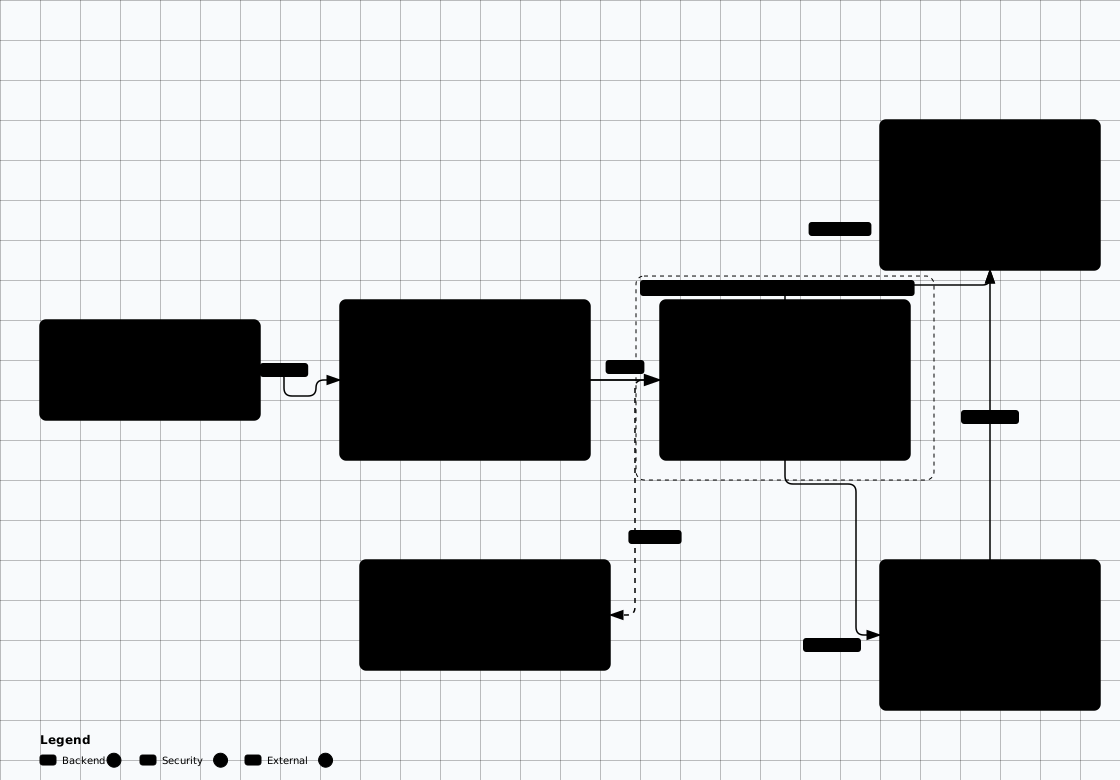

Scroll sideways to see the whole diagram
Option 1: GitLab CE (Recommended)
GitLab CE includes built-in CI/CD, container registry, and code review — making it the most realistic self-hosted lab environment.
# Create docker-compose.yml for GitLab
cat > docker-compose.yml << 'EOF'
services:
  gitlab:
    image: gitlab/gitlab-ce:19.5.0-ce.0  # Verify the current supported tag before reuse
    container_name: gitlab
    hostname: gitlab.lab.local
    ports:
      - "127.0.0.1:8929:8929"      # Web UI - nginx listens on the external_url port inside the container
      - "127.0.0.1:2224:22"        # Git SSH
      - "127.0.0.1:5050:5050"      # Container Registry
    volumes:
      - gitlab_config:/etc/gitlab
      - gitlab_logs:/var/log/gitlab
      - gitlab_data:/var/opt/gitlab
    environment:
      GITLAB_OMNIBUS_CONFIG: |
        external_url 'http://gitlab.lab.local:8929'
        # Lab-only bootstrap password. Change after first login and never reuse.
        gitlab_rails['initial_root_password'] = 'LAB_ONLY_ChangeMe_123!'
        registry_external_url 'http://gitlab.lab.local:5050'
    shm_size: '256m'
    networks:
      default:
        # Makes gitlab.lab.local resolve inside the Compose network, which is the
        # hostname in external_url / registry_external_url above
        aliases:
          - gitlab.lab.local

  gitlab-runner:
    image: gitlab/gitlab-runner:v19.5.0  # Keep the runner on the same minor as GitLab
    container_name: gitlab-runner
    volumes:
      - /var/run/docker.sock:/var/run/docker.sock
      - runner_config:/etc/gitlab-runner
    depends_on:
      - gitlab

volumes:
  gitlab_config:
  gitlab_logs:
  gitlab_data:
  runner_config:
EOF

# The Docker socket mount above is intentionally dangerous and lab-only.
# Treat this runner as equivalent to host root until the lab is destroyed.

docker compose up -d
# Add "127.0.0.1 gitlab.lab.local" to the host's hosts file
#   (Windows: C:/Windows/System32/drivers/etc/hosts, Linux: /etc/hosts) so the
#   clone and registry URLs GitLab generates resolve from the host
# Wait 2-3 minutes for GitLab to initialize
# Access at http://gitlab.lab.local:8929 (http://localhost:8929 also answers) — root / LAB_ONLY_ChangeMe_123!Register GitLab Runner
GitLab 17.0 removed registration tokens: you create the runner in the UI and it issues a
glrt- authentication token.
A runner registered with that token ignores the old
--docker-image /
--docker-privileged CLI flags,
so the executor settings have to go into config.toml.
# 1. Create the runner and copy its authentication token:
#    Admin Area > CI/CD > Runners > New instance runner
#    Platform: Linux | Tags: lab | Run untagged jobs: yes (the seeded pipeline has no tags)

# 2. Write config.toml into the mounted volume. Do not pass a registration token,
#    and do not rely on register CLI flags for the docker executor.
docker exec -i gitlab-runner tee /etc/gitlab-runner/config.toml > /dev/null << 'EOF'
concurrent = 1
check_interval = 0

[[runners]]
  name = "lab-runner"
  url = "http://gitlab.lab.local:8929"   # the network alias on the gitlab service
  token = "glrt-REPLACE_WITH_RUNNER_TOKEN"
  executor = "docker"
  [runners.docker]
    image = "docker:29-cli"
    privileged = true   # Needed for Docker-in-Docker builds
    volumes = ["/var/run/docker.sock:/var/run/docker.sock", "/cache"]
EOF

# 3. Restart so the runner picks up the token, then verify it authenticates
docker restart gitlab-runner
docker exec gitlab-runner gitlab-runner verify
# Admin Area > CI/CD > Runners should show the runner as online
# Rotate the glrt- token after the lab; it is stored in the runner volume in plaintext.
Vulnerable Pipeline Configuration
# This pipeline has multiple security issues for practice
stages:
  - build
  - test
  - deploy

variables:
  # BAD: Hardcoded secrets in pipeline variables
  AWS_ACCESS_KEY_ID: "AKIAIOSFODNN7EXAMPLE"
  AWS_SECRET_ACCESS_KEY: "wJalrXUtnFEMI/K7MDENG/bPxRfiCYEXAMPLEKEY"
  DB_PASSWORD: "LAB_ONLY_seeded_secret_123"

build:
  stage: build
  image: docker:29-cli
  services:
    - docker:29-dind
  script:
    # BAD: Using untrusted base image
    - docker build -t myapp:lab .
    # BAD: Pushing to registry without scanning
    - docker push gitlab.lab.local:5050/myapp:lab

test:
  stage: test
  script:
    # BAD: Executing arbitrary code from dependencies
    - npm install  # No lockfile verification
    - npm test
    # BAD: Printing environment (may leak secrets)
    - printenv

deploy:
  stage: deploy
  script:
    # BAD: SSH key in pipeline
    - echo "$SSH_PRIVATE_KEY" > /tmp/deploy_key
    - chmod 600 /tmp/deploy_key
    - ssh -i /tmp/deploy_key root@lab-deploy-target "docker pull && docker restart app"
  environment:
name: productionOption 2: Jenkins
# Run Jenkins with Docker socket access
docker run -d \
  --name jenkins \
  -p 127.0.0.1:8080:8080 \
  -p 127.0.0.1:50000:50000 \
  -v jenkins_home:/var/jenkins_home \
  -v /var/run/docker.sock:/var/run/docker.sock \
  jenkins/jenkins:lts-jdk21
# lts-jdk17 froze in March 2026 - current LTS lines ship on Java 21 (and 25).

# The image has no Docker CLI, so the socket mount alone cannot run "docker build".
# Install the client once, after the container is up:
docker exec -u root jenkins bash -c "apt-get update && apt-get install -y docker.io"
docker exec jenkins docker version   # proves the mounted socket is reachable

# Get initial admin password
docker exec jenkins cat /var/jenkins_home/secrets/initialAdminPassword

# Access at http://localhost:8080
# Install suggested plugins during setup
Vulnerable Jenkinsfile
pipeline {
    agent any

    // BAD: Credentials in environment block
    environment {
        DB_CREDS = 'admin:SuperSecret123'
        API_KEY  = 'sk-live-abc123def456'
    }

    stages {
        stage('Build') {
            steps {
                // BAD: Arbitrary Groovy execution enabled
                script {
                    def output = sh(script: 'whoami && id', returnStdout: true)
                    echo "Running as: ${output}"
                }
                sh 'docker build -t app:lab .'
            }
        }

        stage('Test') {
            steps {
                // BAD: No dependency verification
                sh 'pip install -r requirements.txt'
                sh 'python -m pytest'

                // BAD: Dumping credentials for debugging
                sh 'echo $DB_CREDS'
            }
        }

        stage('Deploy') {
            steps {
                // BAD: Remote code execution via SSH with embedded key
                sh """
                    sshpass -p 'root123' ssh root@production \
                    'cd /opt/app && git pull && docker compose up -d'
                """
            }
        }
    }
}
The Jenkinsfile assumes its agent has python3/pip, sshpass and the
Docker CLI. jenkins/jenkins ships only Java, so install them in the controller:
docker exec -u root jenkins bash -c "apt-get update && apt-get install -y python3-pip sshpass docker.io"
— or point agent at a build image that already has them. Otherwise the build stops at
docker: not found or pip: not found and nothing reaches the interesting part.
On Debian-based images pip install also refuses to write outside a venv, so the sample either
needs --break-system-packages or a virtualenv before it gets that far.
Option 3: Gitea (Lightweight)
Gitea is a lightweight self-hosted Git service. Pair it with Woodpecker CI — the community CI server that split from Drone and now ships its own v3 line — for a minimal pipeline lab that uses far fewer resources than GitLab. Woodpecker runs no jobs without an agent, and the agent needs a Gitea OAuth2 application (Settings > Applications) for the client id and secret in the compose file.
cat > docker-compose.yml << 'EOF'
services:
  gitea:
    image: gitea/gitea:1.28.1   # Verify the current tag before reuse
    container_name: gitea
    ports:
      - "127.0.0.1:3000:3000"    # Web UI
      - "127.0.0.1:2222:22"      # Git SSH
    volumes:
      - gitea_data:/data
    environment:
      - USER_UID=1000
      - USER_GID=1000
      - GITEA__server__ROOT_URL=http://localhost:3000

  woodpecker:
    image: woodpeckerci/woodpecker-server:v3.19.0
    container_name: woodpecker
    ports:
      - "127.0.0.1:8000:8000"
    volumes:
      - woodpecker_data:/var/lib/woodpecker
    environment:
      - WOODPECKER_OPEN=true
      - WOODPECKER_GITEA=true
      - WOODPECKER_GITEA_URL=http://gitea:3000
      - WOODPECKER_GITEA_CLIENT=your-client-id      # Gitea > Settings > Applications > OAuth2
      - WOODPECKER_GITEA_SECRET=your-client-secret
      - WOODPECKER_HOST=http://localhost:8000
      # v3 uses AGENT_SECRET to pair server and agent; the old WOODPECKER_SECRET name is gone
      - WOODPECKER_AGENT_SECRET=lab-agent-secret

  woodpecker-agent:
    image: woodpeckerci/woodpecker-agent:v3.19.0   # keep the agent on the server's version
    container_name: woodpecker-agent
    command: agent
    environment:
      - WOODPECKER_SERVER=woodpecker:9000
      - WOODPECKER_AGENT_SECRET=lab-agent-secret
      - WOODPECKER_MAX_WORKFLOWS=1
    volumes:
      - /var/run/docker.sock:/var/run/docker.sock   # lab-only: host-root equivalent
    depends_on:
      - woodpecker

volumes:
  gitea_data:
  woodpecker_data:
EOF

docker compose up -d
# Access Gitea at http://localhost:3000
# Access Woodpecker CI at http://localhost:8000
# The agent only picks up jobs once the server is up - check with:
docker logs woodpecker-agentVulnerable-by-Design CI/CD Labs
CI/CDGoat
Intentionally vulnerable CI/CD environment by Cider Security. Includes GitLab, Jenkins, and Gitea with 11 challenges covering pipeline poisoning, credential theft, and more.
git clone https://github.com/cider-security-research/cicd-goat.git
cd cicd-goat
docker compose up -d
# Access at http://localhost:8080 (Jenkins)
# and http://localhost:3000 (Gitea)Top 10 CI/CD Risks
OWASP Top 10 CI/CD Security Risks framework. Each risk maps to real attack techniques you can practice in this lab.
- • CICD-SEC-1: Insufficient Flow Control
- • CICD-SEC-3: Dependency Chain Abuse
- • CICD-SEC-4: Poisoned Pipeline Execution
- • CICD-SEC-6: Insufficient Credential Hygiene
- • CICD-SEC-9: Improper Artifact Integrity
Practice Exercises
Exercise 1: Secret Extraction
Find and extract hardcoded secrets from pipeline configurations. Use tools like trufflehog and gitleaks to scan repositories.
Exercise 2: Pipeline Poisoning (PPE)
Modify a CI config file in a feature branch to inject commands. Fork a repo and submit a PR that runs malicious build steps.
Exercise 3: Jenkins Script Console RCE
Access the Jenkins Script Console (/script) and execute Groovy code to read files, spawn reverse shells, or access credentials.
Exercise 4: Container Escape from Runner
Exploit Docker socket access in a CI runner to escape the container and access the host system.
Exercise 5: Dependency Confusion
Keep this inside the local registry. Publish a "private" package (for example @lab/internal-utils 1.0.0) to the local GitLab registry, then from a second project push the same package name at 9.9.9 to that same registry under a different namespace. Point a seed project's .npmrc or pip.conf only at the local registry, run the build, and note which artifact the resolver picks. Then fix it: pin the exact version in the lockfile and scope resolution to your own namespace. Never publish the test package to npmjs.com or PyPI — that leaves the lab.
Troubleshooting FAQ
GitLab taking too long to start
- GitLab CE needs 4-8GB RAM and takes 2-5 minutes to fully initialize
- Check progress:
docker logs -f gitlab - Increase Docker memory limit in Docker Desktop settings
- Use Gitea instead if resources are limited — it starts in seconds
GitLab runner not picking up jobs
- Verify the runner is online: Admin > CI/CD > Runners should show it authenticated (a
glrt-token, not a registration token) - Runner must be able to reach GitLab on the external_url port:
docker exec gitlab-runner wget -qO- http://gitlab.lab.local:8929/-/readiness - Check runner logs:
docker logs gitlab-runner - Ensure project has the runner assigned (Settings > CI/CD > Runners)
Jenkins plugins failing to install
- Check internet connectivity from the container:
docker exec jenkins curl -I https://updates.jenkins.io - Update Jenkins to latest LTS before installing plugins
- Some plugins have Java version requirements — check compatibility
- Try installing from the CLI:
docker exec jenkins jenkins-plugin-cli --plugins plugin-name
Readiness And Evidence
What this lab must have before you start, and what to capture so the work is repeatable and reportable.
Minimum Viable Setup
- One local CI server
- One disposable runner
- One seed project with lab-only secrets
Evidence To Capture
- Runner registration screenshot
- Successful job log
- Secret scanner finding for seeded test secret
- docker compose down -v cleanup output
Keep It Fresh
Re-check these against the current release before you trust the lab again.
-
GitLab, Jenkins, Gitea, runners Before rebuild
Check supported image tags and plugin compatibility.
-
CI/CD risk references Quarterly
Review OWASP CI/CD guidance and recent supply-chain incidents.
Setup Anti-Patterns
Habits that turn a useful lab into an unnecessary risk.
- Mounting Docker socket on a machine you care about
- Using real tokens in seed repos
- Exposing CI admin consoles beyond localhost
Operational Safety Baseline
Apply these rules before running any lab command on this page.
- Work only on systems you own or have explicit authorization to test.
- Keep vulnerable services off your home LAN and off public interfaces.
- Take clean snapshots before every exercise and before every vulnerable configuration change.
- Use dedicated cloud accounts, subscriptions, and projects with billing alerts before deployment.
- Write down the teardown command before you run the setup command.
Validation Checkpoints
- -Runner accepts jobs
- -Registry authentication works
- -Secret scanner catches seeded test secrets
- -No Docker socket access outside the lab
Cleanup And Rollback
- -docker compose down -v
- -Delete seeded credentials
- -Rotate runner tokens
- -Prune local images
Token And Volume Cleanup
docker compose down -v or equivalent volume cleanup. Do not keep vulnerable runner configs around for later reuse.