Cloud Security Lab Setup
Build vulnerable cloud environments for practicing AWS, Azure, and GCP penetration testing. Learn cloud misconfigurations in a safe, controlled setting.
Cost Warning
Guardrail Before Deployment
Isolate First
Cloud isolation is an identity boundary, not a network one: a dedicated account keeps a deliberately misconfigured resource away from production data and makes teardown one action. Running the scenario in a personal or company account is the cloud equivalent of bridging a target onto your home LAN.
- Network type
- Dedicated account / subscription / project
- Lab network
- lab-security-sandbox
- Subnet
- No local network — the isolation boundary is the account
There is no local VM segment to build for this lab. What you create instead is a separate account with its own credentials, a budget alert, and a region allowlist — that is the thing the exercises run inside.
IP plan
| Role | Identifier |
|---|---|
| Lab account (AWS account, GCP project or Azure subscription) | dedicated — never your production or personal one |
| Region allowlist | one region, e.g. us-east-1 |
| Budget and alert | hard limit below your comfort threshold |
| Local attack host | your Kali VM, no inbound path |
Create it
AWS CLI
aws configure sso --profile lab          # sign in to the lab account only
aws sts get-caller-identity --profile lab
# create the budget in Billing > Budgets, or supply your own budget.json to:
# aws budgets create-budget --account-id <lab-account-id> --budget file://budget.json
Azure / GCP CLI
az login --tenant <lab-tenant-id>
az account show --query id -o tsv
gcloud auth login --account=<lab-identity>
gcloud config set project <lab-project-id>
Prove it is isolated
aws sts get-caller-identity --query '[Account,Arn]' --output textExpected: the lab account id and a role inside it. If this prints a production or personal account, stop and fix the profile before deploying anything.
Never point the lab at a production account or reuse personal credentials — a leaked lab key should cost you a budget alert, not your estate.
Lab Runbook
Use this page as a controlled lab build, not a production hardening guide. Prove the network is isolated before running exercises, then validate and clean up from the operational section at the end of the page.
Plan
4 GB local; 20 GB local. Variable. Isolation: Dedicated lab account/subscription/project with budget alerts.
Outcomes
- - Dedicated cloud account
- - Billing alerts
- - Scenario deployment
- - Destroy script tested
Vulnerable Cloud Labs
CloudGoat (AWS)
Rhino Security's "Vulnerable by Design" AWS deployment. Multiple attack scenarios.
- ✓ IAM privilege escalation
- ✓ EC2 SSRF to metadata
- ✓ Lambda exploitation
- ✓ S3 misconfiguration
AzureGoat
Vulnerable Azure environment with common misconfigurations.
- ✓ Storage account exposure
- ✓ App Service vulnerabilities
- ✓ Managed Identity abuse
- ✓ Key Vault misconfig
GCPGoat
Intentionally vulnerable Google Cloud Platform deployment.
- ✓ Compute Engine misconfig
- ✓ Cloud Storage exposure
- ✓ IAM escalation
- ✓ Metadata service abuse
Kubernetes Goat
Interactive Kubernetes security learning platform with 20+ scenarios.
- ✓ Container escape
- ✓ RBAC misconfig
- ✓ Secret exposure
- ✓ Network policies
AWS lab account: managed vs survived
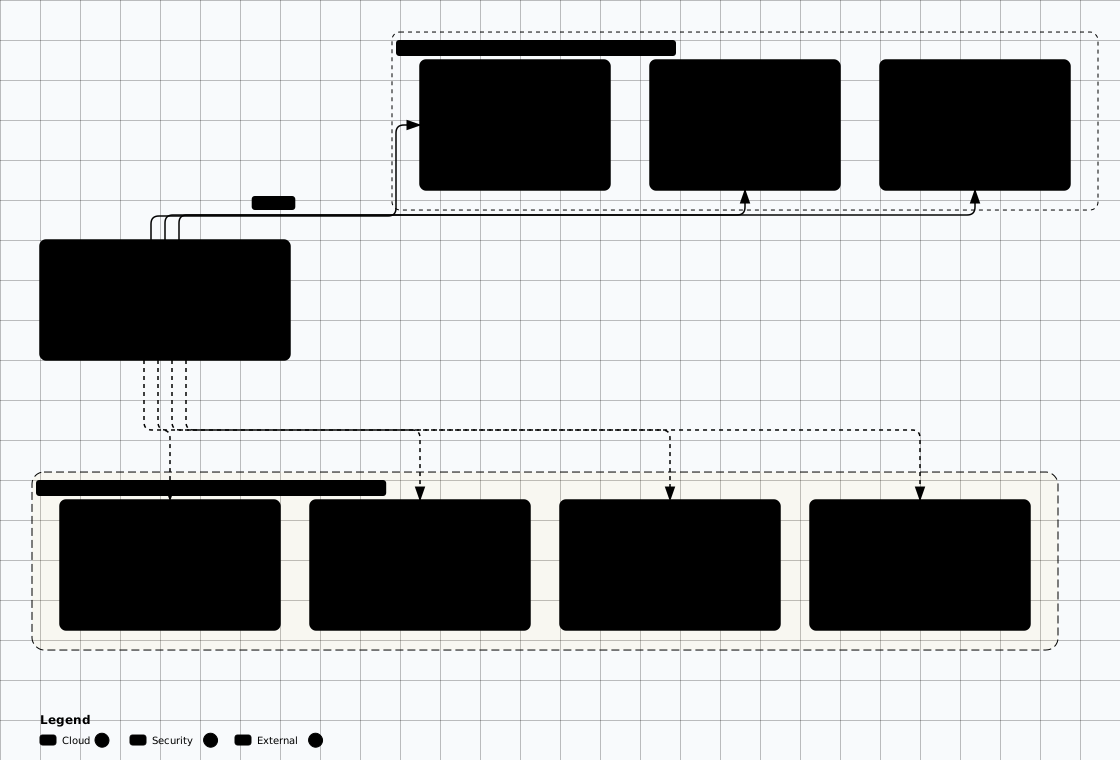

Scroll sideways to see the whole diagram
CloudGoat Setup (AWS)
Prerequisites
# CloudGoat 2.x requires Python 3.9+, Terraform >= 1.5.0 and jq.
# Upstream supports Linux and macOS; Windows is not officially supported.
python3 --version
terraform version   # install from developer.hashicorp.com/terraform/install
jq --version

# Install the CLI and the AWS CLI in isolated environments
pipx install cloudgoat
pipx install awscli

# boto3 is a library with no console script, so `pipx install boto3` fails.
# CloudGoat bundles its own copy; install it for your own scripts only:
# python3 -m venv ~/.venvs/cloud && source ~/.venvs/cloud/bin/activate && pip install boto3

# Configure AWS credentials
aws configure
# Enter: AWS Access Key, Secret Key, Region (us-east-1), Output (json)

# Confirm you are in the dedicated lab account and capture its id
aws sts get-caller-identity
ACCOUNT_ID=$(aws sts get-caller-identity --query Account --output text)

# Write the budget notification payload inline so the next command is
# copy-pasteable. Change the address before running it.
cat > budget-alert.json <<'EOF'
[
  {
    "Notification": {
      "NotificationType": "ACTUAL",
      "ComparisonOperator": "GREATER_THAN",
      "Threshold": 80,
      "ThresholdType": "PERCENTAGE"
    },
    "Subscribers": [
      { "SubscriptionType": "EMAIL", "Address": "you@example.com" }
    ]
  }
]
EOF

# Create the cost guardrail BEFORE deploying anything
aws budgets create-budget \
  --account-id "$ACCOUNT_ID" \
  --budget '{"BudgetName":"LabBudget","BudgetLimit":{"Amount":"25","Unit":"USD"},"TimeUnit":"MONTHLY","BudgetType":"COST"}' \
  --notifications-with-subscribers file://budget-alert.json

# Confirm the guardrail exists
aws budgets describe-budgets --account-id "$ACCOUNT_ID"Deploy CloudGoat
# CloudGoat 2.x is a pipx-installed CLI; the 1.x ./cloudgoat.py workflow is gone
cloudgoat --help

# Point CloudGoat at the lab account profile, then let it whitelist its own IPs
cloudgoat config aws
cloudgoat config whitelist --auto

# Deploy a scenario
cloudgoat create iam_privesc_by_rollback
Destroy When Done
# Always destroy resources to avoid charges!
cloudgoat destroy iam_privesc_by_rollback

# "cloudgoat destroy all" removes every deployed scenario; then confirm no
# stacks are left behind
aws cloudformation list-stacks --stack-status-filter CREATE_COMPLETE
Local Kubernetes Lab
Free Local Option
Kubernetes Goat with Minikube
# Install Minikube (GitHub release URL is what upstream documents)
curl -LO https://github.com/kubernetes/minikube/releases/latest/download/minikube-linux-amd64
sudo install minikube-linux-amd64 /usr/local/bin/minikube
rm minikube-linux-amd64

# Start cluster
minikube start --driver=docker --memory=4096

# Install Kubernetes Goat
git clone https://github.com/madhuakula/kubernetes-goat.git
cd kubernetes-goat
chmod +x setup-kubernetes-goat.sh
./setup-kubernetes-goat.sh

# Access the dashboard
minikube service kubernetes-goat-home
Terraform Vulnerable Configs
Deploy specific vulnerable configurations for targeted practice:
S3 Public Bucket
# main.tf - Vulnerable S3
resource "random_id" "suffix" {
  byte_length = 4
}

resource "aws_s3_bucket" "vuln" {
  bucket = "vuln-bucket-${random_id.suffix.hex}"
}

resource "aws_s3_bucket_public_access_block" "vuln" {
  bucket = aws_s3_bucket.vuln.id
  block_public_acls       = false
  block_public_policy     = false
  ignore_public_acls      = false
  restrict_public_buckets = false
}
EC2 with IMDS v1
# main.tf - SSRF-vulnerable EC2
data "aws_ami" "amazon_linux" {
  most_recent = true
  owners      = ["amazon"]

  filter {
    name   = "name"
    values = ["al2023-ami-*-x86_64"]
  }

  filter {
    name   = "virtualization-type"
    values = ["hvm"]
  }
}

resource "aws_instance" "vuln" {
  ami           = data.aws_ami.amazon_linux.id
  instance_type = "t3.micro"

  # Vulnerable: IMDSv1 enabled
  metadata_options {
    http_tokens = "optional"
  }
}
SadCloud (NCC Group)
Terraform-based tool that deploys intentionally vulnerable AWS infrastructure: roughly 84 misconfigurations across 22 AWS services.
# Clone SadCloud
git clone https://github.com/nccgroup/sadcloud.git
cd sadcloud

# The modules reference this keypair; create it before init
ssh-keygen -t rsa -b 4096 -f data/ssh_keys/terraform_rsa

# Terraform runs from the nested module directory, not the repo root
cd sadcloud
terraform init

# Every finding is disabled by default. Enable them per service in
# terraform.tfvars or with -var flags; all_findings=true enables the corpus.
terraform plan  -var="all_s3_findings=true" -var="all_iam_findings=true"
terraform apply -var="all_s3_findings=true" -var="all_iam_findings=true"

# ALWAYS destroy when done
terraform destroy -auto-approve
SadCloud Covers:
Detection & Monitoring (Purple Team)
Enable cloud-native detection services to see what your attacks look like from a defender's perspective. This turns your cloud lab into a purple team exercise.
AWS Detection Stack
- • CloudTrail — Enable in all regions, log to S3
- • GuardDuty — Threat detection (free 30-day trial if no GuardDuty feature has been enabled)
- • Security Hub — Centralized security findings
- • AWS Config — Track configuration changes
# Enable CloudTrail (CLI)
aws cloudtrail create-trail \
  --name lab-trail \
  --s3-bucket-name lab-cloudtrail-logs \
  --is-multi-region-trail

aws cloudtrail start-logging --name lab-trail

# Enable GuardDuty
aws guardduty create-detector --enable

# After attacking, check findings:
aws guardduty list-findings --detector-id <ID>
aws cloudtrail lookup-events --lookup-attributes \
  AttributeKey=EventName,AttributeValue=GetSecretValue
Azure Detection Stack
- • Microsoft Sentinel — Cloud SIEM on a Log Analytics workspace; the 31-day trial covers the first 10 GB/day, Azure Activity, Office 365 audit logs and security alerts are free connectors, and 90 days of retention is included — everything beyond that is billed
- • Entra ID Logs — Sign-in and audit logs
- • Defender for Cloud — Security posture management
- • Activity Log — Management plane operations
# Enable Azure Activity Log diagnostic setting
az monitor diagnostic-settings create \
  --name lab-diag \
  --resource /subscriptions/<sub-id> \
  --logs '[{"category":"Administrative","enabled":true}]' \
  --workspace <log-analytics-id>

# After attacking, query Sentinel:
# SecurityEvent | where EventID == 4625
# AzureActivity | where OperationNameValue contains "vault"
# SigninLogs | where ResultType != 0
Purple Team Workflow
Cost Management Tips
Automated Teardown Script
Dedicated Lab Account Only
Destroy-All Script
#!/bin/bash
# destroy-lab.sh - Run after every practice session
echo "[*] Destroying CloudGoat scenarios..."
# List the scenarios you deployed here; CloudGoat 2.x destroys one at a time
for scenario in iam_privesc_by_rollback; do
  cloudgoat destroy "$scenario"
done

echo "[*] Destroying Terraform resources..."
for dir in ~/labs/terraform/*/; do
  cd "$dir" && terraform destroy -auto-approve 2>/dev/null
done

echo "[*] Checking for running EC2 instances..."
aws ec2 describe-instances --filters Name=instance-state-name,Values=running \
  --query 'Reservations[].Instances[].InstanceId' --output text

echo "[*] Check your billing dashboard: https://console.aws.amazon.com/billing/"
echo "[!] Done. Verify no resources remain in the AWS console."
Set Billing Alerts
Configure alerts at $5, $10, $25 to catch runaway costs early.
Check What Free Actually Covers
There is no permanent per-service free allowance to stay inside: a new AWS account starts on the Free plan with a time-limited credit grant ($100 upfront plus up to $100 more over six months) and the plan ends when the credits run out or six months pass. The account then closes unless you convert to a Paid plan, so assume any scenario costs money and check the current plan terms for your account.
Destroy Resources
Always terraform destroy after practice sessions.
Troubleshooting FAQ
CloudGoat deploy fails with permission errors
- Ensure your AWS credentials have admin permissions (or at minimum: IAM, EC2, S3, Lambda, RDS)
- Check AWS region is set:
aws configure get region - Some scenarios need specific regions — check the scenario README
- Run
aws sts get-caller-identityto verify credentials are working
Terraform state lock or "resource already exists"
- Force unlock:
terraform force-unlock LOCK_ID - Import existing resource:
terraform import aws_instance.example i-1234567890 - Nuclear option: delete
terraform.tfstateand manually clean up in AWS console - Always run
terraform destroybefore re-deploying
Unexpected cloud charges appeared
- Run the destroy-all script immediately (see Cost Management section)
- Check all regions — resources may have been created in non-default regions
- Review AWS Cost Explorer or Azure Cost Analysis for breakdown
- Set up billing alerts before deploying any lab resources
- Contact cloud provider support — billing adjustments are discretionary, so treat any waiver as a courtesy rather than a recovery path
Readiness And Evidence
What this lab must have before you start, and what to capture so the work is repeatable and reportable.
Minimum Viable Setup
- Dedicated lab account/subscription/project
- Budget alert below your comfort limit
- One vulnerable scenario plus tested destroy command
Evidence To Capture
- Caller identity output
- Budget alert screenshot or CLI output
- Scenario deployment ID
- Post-destroy resource inventory
Keep It Fresh
Re-check these against the current release before you trust the lab again.
-
Terraform and providers Before deployment
Run terraform version and review provider lock files.
-
Scenario projects Before deployment
Read upstream issues for broken modules or cost surprises.
Setup Anti-Patterns
Habits that turn a useful lab into an unnecessary risk.
- Using a production cloud account
- Granting broad admin access without boundaries
- Leaving resources in secondary regions
Operational Safety Baseline
Apply these rules before running any lab command on this page.
- Work only on systems you own or have explicit authorization to test.
- Keep vulnerable services off your home LAN and off public interfaces.
- Take clean snapshots before every exercise and before every vulnerable configuration change.
- Use dedicated cloud accounts, subscriptions, and projects with billing alerts before deployment.
- Write down the teardown command before you run the setup command.
Validation Checkpoints
- -Caller identity is the lab account
- -Budget alerts fire below your limit
- -CloudTrail or activity logs capture actions
- -No resources remain after teardown
Cleanup And Rollback
- -Run scenario destroy command
- -Check every enabled region
- -Review cost explorer before closing session